


A customer considering a 250 g coffee pack asks whether the 500 g pack is better value. That is a useful opening for WhatsApp upselling automation: the business can explain a relevant upgrade and let the buyer choose. A generic “buy more” message after every order is a much weaker starting point. The opportunity comes from understanding the customer’s need, checking the product information and making one clear offer without changing an order the customer has not approved.
This guide explains how to build that process for an ecommerce team, from product selection to timing, replies and measurement. It separates upselling from cross-selling and replenishment, because each serves a different purchase decision. Implifie’s ecommerce WhatsApp workflows can support connected customer conversations where the required features and integrations are configured. Your store and payment system remain responsible for prices, orders and charges. Treat the following examples as operating patterns to test, rather than promises of a particular sales uplift.
Choose an ecommerce upsell that fits the customer
An upsell offers a higher-value version of the product or service the customer is considering. It should solve a recognisable need, such as greater capacity, a more suitable specification or a package that genuinely fits expected use. A larger pack is not automatically better if the buyer cannot use it before freshness becomes an issue. Make the benefit and the added cost understandable, and give the customer a straightforward way to keep the original choice.
| Approach | Example | Question to answer |
|---|---|---|
| Upsell | Compare a 250 g coffee pack with the 500 g version | Does the larger size suit usage and total cost? |
| Cross-sell | Suggest a compatible filter alongside coffee equipment | Does the extra item help with the original purchase? |
| Replenishment | Ask whether the same coffee is needed again | Is the timing plausible, and has the customer already reordered? |
Use this distinction when building the audience and measuring the result. An accessory recommendation is not evidence that a premium product converts better, and a repeat order does not automatically represent an upgrade. If the customer mainly needs another supply of the same item, plan a replenishment journey instead. The repeat-order and cross-sell guide covers those related paths. Keeping them separate prevents a campaign from claiming success against an outcome it was never designed to improve.
Check the product and order data before recommending
A recommendation needs a dependable product match, current availability and a clear price. Use the exact variant the customer is considering rather than a broad category label. A product may look similar while differing in size, compatibility or delivery terms. Commerce tools can help teams work with connected product and order activity, but you still need to verify which information is available and how recently it was updated. Hold the recommendation if the detail that makes it useful cannot be confirmed.
- Product fit: Record the customer need and the specific benefit of the higher-value option.
- Price difference: Show the actual added cost and any applicable conditions before the buyer decides.
- Availability: Check the required variant and the delivery information relevant to the choice.
- Order status: Find out whether an order is still editable, already fulfilled or subject to a separate new purchase.
- Exit rules: Stop the offer when the customer buys, declines, opts out or no longer fits the reason for contact.
For a post-purchase offer, check the commercial process before sending the message. A paid order may already be moving through fulfilment, so an upgrade can require a reviewed amendment or a separate purchase. A reply or button tap should not silently change a paid order. Explain the proposed change, ask for agreement and use the store’s supported checkout or amendment process. If stock or charges cannot be verified, route the question to a colleague instead of inventing a complete answer.
Write WhatsApp product recommendations as a conversation
Explain the choice in terms of the customer’s use, not just the higher price. In the coffee example, the helpful question is how much coffee the buyer normally uses, followed by a comparison of pack size, unit price and freshness. Do not create artificial scarcity or claim a discount that the store is not actually offering. The illustration below is a fictional opening exchange; the next reply should use checked product details and leave the decision with the customer.
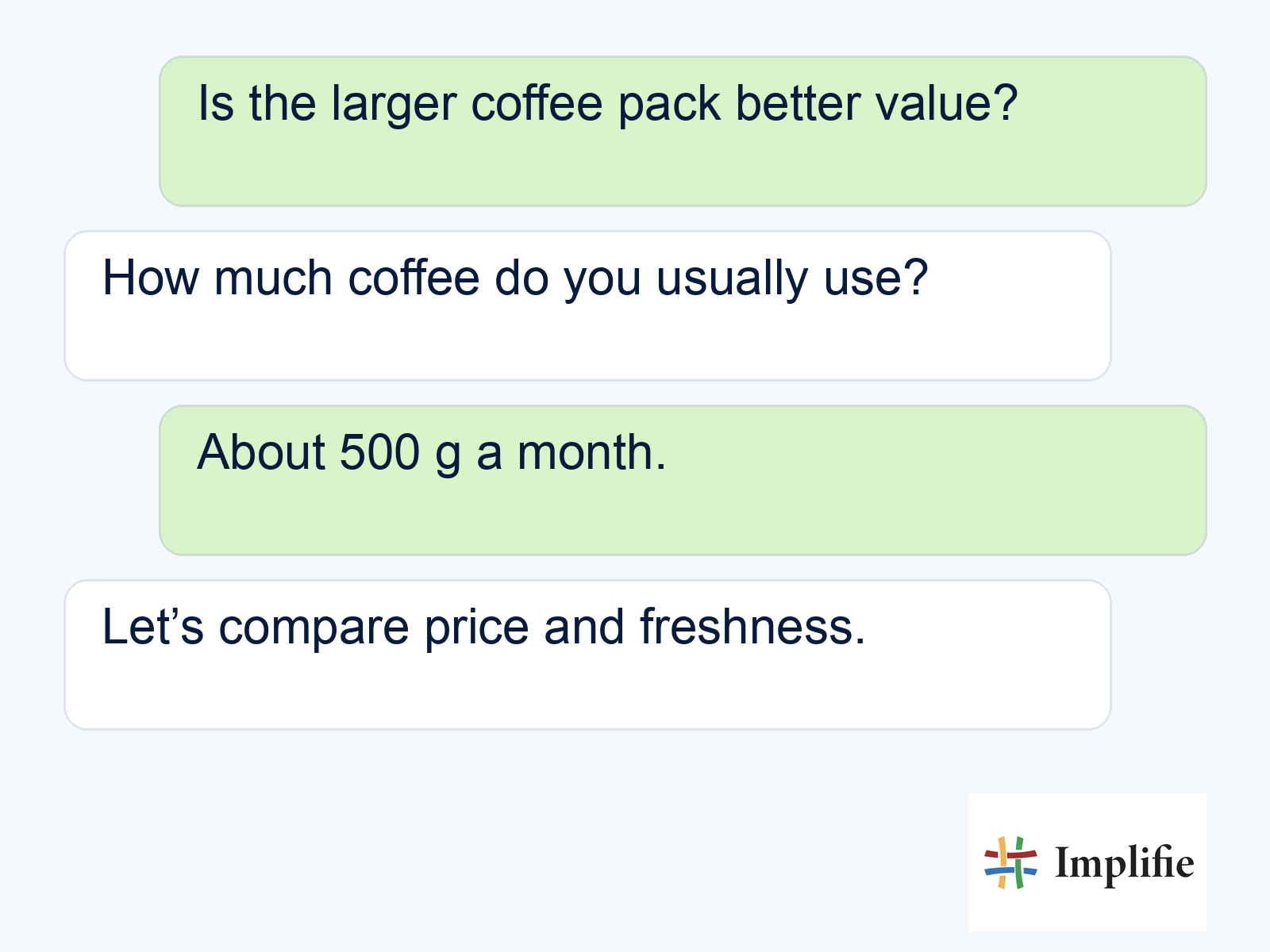
Once the relevant details are known, keep the offer specific. You might say, “The 500 g pack costs [verified price], compared with [verified price] for 250 g. Based on the amount you use, would you like to compare both options?” This sample wording needs the actual product information and the appropriate message process before use. Shared inbox context helps an agent pick up the question if the customer asks about a subscription, delivery change or another condition that the workflow cannot resolve.
Time automated upsell messages around the buying decision
Choose timing according to the reason for the recommendation. Before checkout, the buyer may still be choosing a product. After payment, they may be waiting for delivery and need reassurance rather than another offer. After use, they may be better placed to judge a different size or specification. There is no single schedule that suits every item. Write down what the customer is likely to understand at that moment, then test the timing with a limited audience.
Avoid adding a recommendation to every order event simply because the event is available. A shipping delay, unresolved complaint or recent upgrade can make the offer inappropriate. Follow-up automation should recheck the current customer and order state before a delayed send. When the buyer replies, decide whether the conversation should pause the sequence and move to a person. That prevents an otherwise useful recommendation from arriving after the customer has already made a choice or asked for help.
Build WhatsApp upselling automation with a safe exit
Build one journey around a clear product decision before adding a large catalogue of recommendations. Choose the qualifying event, the exact upgrade, the information needed to support it and the condition that removes someone from the flow. Chatbot workflows can collect predictable details and guide a supported next step. They should not manufacture a product match or make commitments that depend on missing store data. Use the sequence below as a simple review checklist for your first implementation.
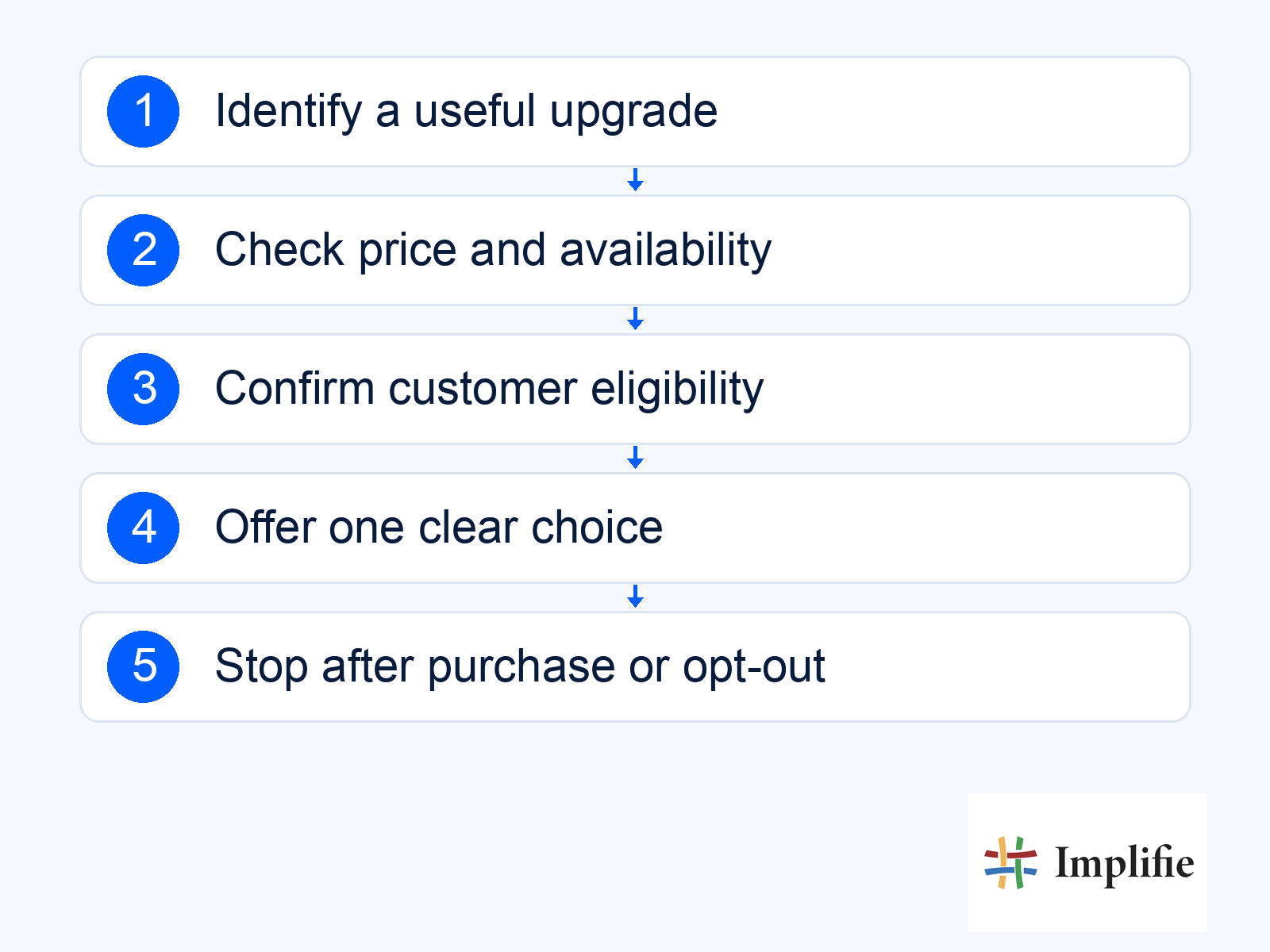
- Entry check: Confirm the relevant product interest, customer eligibility and current order context.
- Recommendation check: Verify the benefit, price difference, available variant and any delivery effect.
- Customer choice: Offer the original and upgraded options without assuming agreement.
- Handover: Assign uncertain compatibility, order changes and price questions to the appropriate colleague.
- Stop condition: End or revise the journey after purchase, refusal, opt-out or a change that makes the offer irrelevant.
Test a customer who buys before the next message, a product that goes out of stock, a repeated store event and someone who declines. The original choice should remain available where appropriate, and declining an upgrade should not trigger an identical pitch the next day. Keep the customer’s response in the CRM record so the team can continue with context. A small reviewed journey is easier to improve than many overlapping sequences whose owners cannot explain why a message was sent.
Match the message to the applicable rules
Check the current WhatsApp messaging policy for permission, opt-outs, templates and escalation. Review promotional wording through template management rather than assuming an order notification covers an upsell. Confirm the applicable message charges and plan before launching a campaign; neither approval nor delivery guarantees a purchase.
Measure completed upgrades and the full commercial result
Define the upgrade event before reviewing results. Count a completed purchase of the intended higher-value option, using a consistent attribution window and a clear eligible audience. A read or click is a diagnostic signal, not a completed upsell. Compare the result with the original purchase path, and include discounts, message costs, relevant platform costs and additional fulfilment work. A higher order value can still be a poor result if the margin falls or the recommendation creates avoidable returns.
Use WhatsApp reporting together with the store’s order records where needed. Review refunds, complaints and opt-outs alongside completed upgrades, and test one important change at a time. If different audiences receive different offers or discounts, a simple revenue comparison cannot isolate the effect of message wording. Use your own evidence to decide whether the recommendation is useful and sustainable. Do not adopt another brand’s conversion rate or return-on-investment figure as a forecast for your store.
Start with one recommendation worth making
Useful WhatsApp upselling automation helps a customer understand a better-fitting option and choose it knowingly. Start with one product, verify the added value and connect the offer to a real buying decision. Keep price, stock and order handling accurate, give questions an owner and stop when the offer no longer applies. Expand after reviewing completed purchases and customer feedback, rather than building a larger campaign around an unsupported promise of higher revenue.
Frequently asked questions
Is a complementary accessory an upsell?
It is usually a cross-sell because it adds a different item. An upsell offers a higher-value version or package of the product the customer is considering.
Can an automated message change an order after payment?
Only use the supported store process after the customer agrees to the change. Check fulfilment status, charges and availability first; a conversational reply should not silently amend a paid order.
Should I always offer a discount?
No. Explain the genuine benefit and price difference. Use a discount only when it is an actual approved offer and still makes commercial sense.
What if the customer declines the upgrade?
Keep the original choice where appropriate, record the response and stop the relevant upsell sequence. A refusal should not lead to repeated identical offers.
