


Shopify merchants can automate repeat orders and cross-sells by connecting customer actions to relevant offers at the right point in the buying cycle. A practical strategy for automating repeat orders and cross-sells uses event-triggered follow-up, product matching, and product-appropriate timing. The goal is to earn a second purchase by being helpful, not by sending more generic promotions. That distinction matters when a buyer has just placed an order or is still learning how to use a product. A useful message respects the customer’s time and gives the brand another chance to solve a real need.
Start small, then improve the path using what customers actually buy. For a customer who has just bought a camera, useful help might begin with setup guidance and only later move to a compatible accessory. For someone ordering a consumable, the next useful message might arrive close to the likely replenishment date. Both journeys start with the purchase, but they should not follow the same schedule or recommend the same type of product. Treat the original order as context for the next conversation, and make it easy for the customer to choose, ask a question or stop receiving promotional follow-ups.
Key Takeaways :
- Connect a store event to a specific customer need.
- Choose cross-sells that fit how the first product is used.
- Time replenishment around the product’s use cycle.
- Give customers clear controls over recurring orders.
- Measure purchases and revenue, not clicks alone.
Automating Repeat Orders Cross Sells: How the Workflow Works :-
A Shopify Flow turns a store event, such as an order being paid, into a defined response. A flow is an automated sequence of steps that responds to a store event using triggers, conditions, and actions. That simple structure lets you create automation around real customer activity instead of sending every buyer the same message. Every workflow follows the same pattern: a trigger starts it, conditions check the situation, and actions carry out the response.
For example, an order event can start a workflow, a condition can check the order’s contents, and an action can add a tag. The condition keeps the response relevant to the customer and the order. A workflow should stop when its customer or order no longer fits the reason it started. Keep the first version easy to explain to someone who did not build it. Write the triggering event, the eligibility check, the intended action and the reason a customer should leave the flow. If the rule cannot distinguish an appropriate recommendation from an irrelevant one, improve the rule before adding more messages. A useful automation remains understandable when an order is cancelled, a customer buys again or a product goes out of stock.
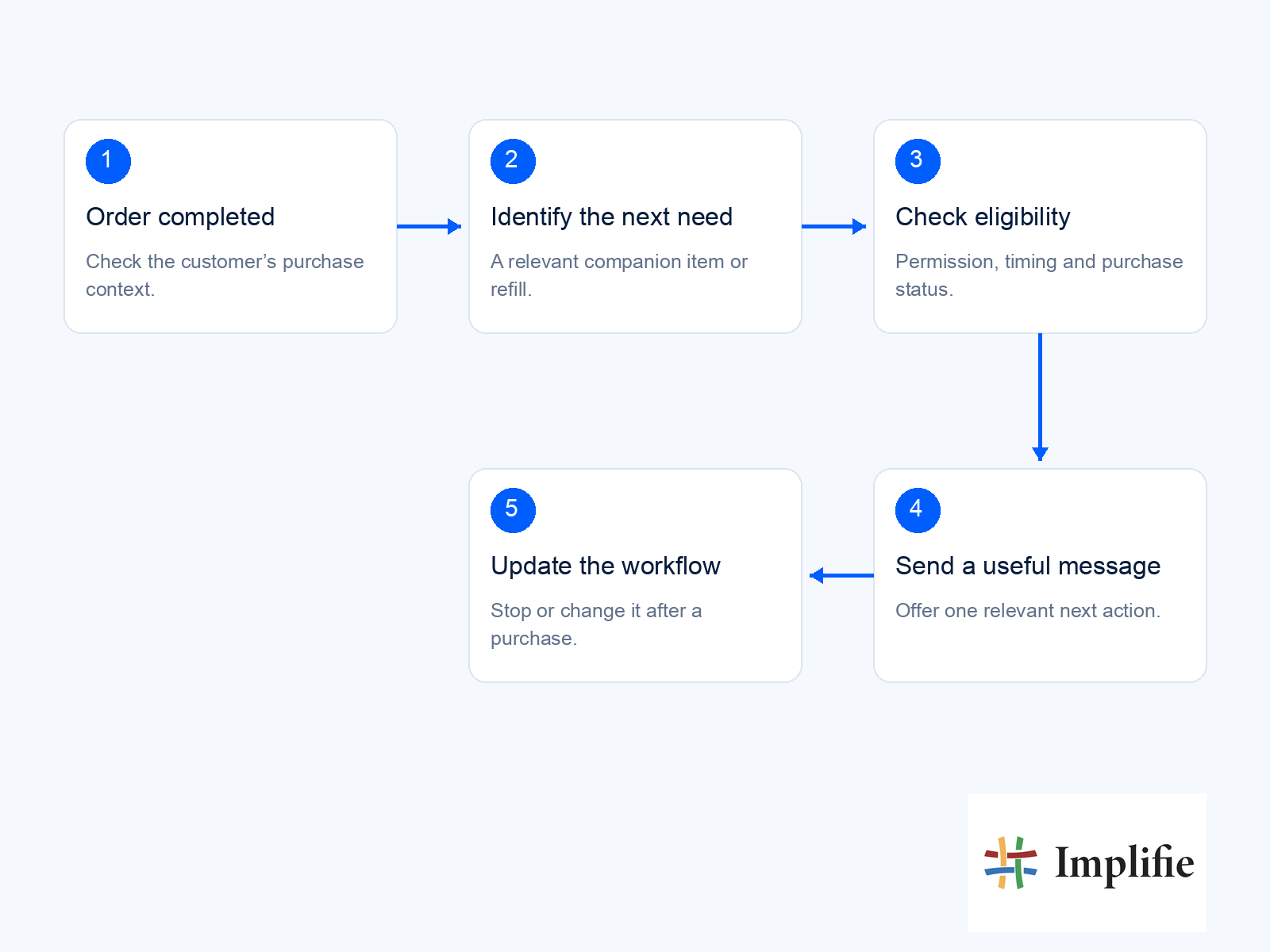
The parts of a Shopify Flow :
A trigger is the event that begins a flow. Conditions determine whether the workflow should continue, based on details such as order data, customer tags, or inventory. Actions make a change in Shopify or a supported app. You can keep a workflow small, then add conditions only when they serve a clear purpose. Liquid variables pass data between workflow steps, so an action can use details from the trigger or an earlier step. A variable might carry information about an order into a later action. For a list of items, a For each loop runs the selected actions on every item, rather than just the first one.
Use an example order while configuring the flow so each condition and action can be checked against real field values. Make sure the information passed to a later step still describes the event that actually occurred. Where a workflow loops through several items, decide whether the customer should receive one combined message or whether an internal update is sufficient. The presence of several eligible products should not automatically create several competing customer messages.
Store events that can start an action :
Shopify Flow includes triggers for orders, products, inventory, and customers. Order created, Order paid, Order fulfilled, and Order risk analyzed can each start a different response. Product created and Product variant inventory quantity changed are useful when a product or stock change needs attention. Customer created and Customer tagged can also start a workflow. After a trigger, Flow can add order or customer tags, send internal emails, hold fulfillment, publish or unpublish products, add notes, or trigger supported apps. These actions can support internal operations as well as customer journeys.
Choose an event that marks a meaningful change in the customer’s relationship with your store. Then use the condition to distinguish the cases that need different treatment. A customer tag, for instance, can help staff recognize an order that needs review without sending the buyer an unrelated offer. Before building, write down the event that should start the workflow and the single action you want it to cause.
Match timing to product use :
Fulfillment tells you that an order has shipped, but delivery tells you when the customer can begin using it. Allow for that gap when an item needs to arrive before the buyer can judge whether a related product would help. First-time buyers may need guidance before a second-order offer, while returning buyers may already know what they need. A thank-you email soon after fulfillment can confirm the order experience and set expectations. For a product that takes time to use, a later check-in can be more welcome than an immediate promotion.
The right moment is when the buyer can recognize the value of the next step. Build timing around a reasonable expectation that your team can review. If delivery takes longer than expected, a care message or recommendation may need to wait, while a service update could be more useful immediately. Distinguish an estimated replenishment date from a guaranteed date on which the customer will run out. Customers use products at different speeds, so the message should invite a choice rather than assume that another purchase is already required.
Separate complementary offers from replenishment :
A cross-sell adds a useful companion item, while a replenishment message reminds the customer to replace something that gets used up. Accessories such as camera straps and SD cards can be suggested about a week after purchase. Complementary camera products may fit better 2-3 weeks after delivery, once the buyer has started using the camera. Consumables and upgrades often belong later, around 2-3 months after purchase. That longer interval gives the customer time to use supplies or learn what an upgrade would improve.
A product review and cross-sell flow may send 14 days after fulfillment, leaving time for initial use before asking for feedback. Cross-sell flows can start from Placed Order or Fulfilled Order, depending on whether the offer depends on delivery. An upsell flow can use Viewed Product when a shopper is considering a higher-value version. Choose the trigger based on the moment that makes the message understandable. Set the send date around when the customer can recognize the need, not around a blanket weekly schedule.
Which Products Make Relevant Cross-Sells?
A useful cross-sell answers the next need created by the customer’s first purchase. A cross-sell offers a related item, while an upsell offers a higher-value version of the item the buyer is considering. Relevance comes first: the recommendation should make the original product easier to use, protect it, or support the customer’s goal. Choose a related product because of its real use, not simply because it has a high margin. A buyer who buys a yoga mat might need support during practice or a way to carry the mat. A phone buyer may value protection more than an unrelated accessory promoted for its price.
Use the product category and the customer’s likely next task to judge a recommendation. The connection should be clear without requiring a long explanation. A relevant recommendation can add value to the order, but an offer that feels disconnected can make the store seem less attentive. These pairings work because the related product fits a recognizable need created by the first item. That need may be practical, such as protecting a phone, or may help the buyer get more from the product.
The table is a starting point; your own product details should support the same clear connection. Check the actual use of each product before adding it to a recommendation set. A product may belong to the same category but still fail to help the customer’s next task. Look at compatibility, intended use, and whether the buyer already receives the related item in a bundle. Remove any pairing that cannot be explained in one clear sentence from the customer’s point of view.
| Original purchase | Possible cross-sell | Why it may help |
|---|---|---|
| Yoga mat | A compatible carry strap or support block | Makes transport or practice more comfortable |
| Phone | A case that fits the exact model | Protects the item the customer just bought |
| Camera | A compatible memory card or camera strap | Supports normal use of the purchased camera |
| Consumable product | A replenishment reminder | Helps the customer reorder near the likely use-up date |
How Do You Build a Post-Purchase Flow?
A post-purchase flow should reassure the buyer first, then earn the chance to recommend something useful. In Klaviyo, a flow can use Placed Order as its trigger, then route customers according to their purchase or profile. Keep the first contact helpful, especially while the buyer is waiting for an order to arrive. A typical post-purchase sequence uses 3-5 emails, with each message doing one clear job. Order confirmation and useful expectations belong early in the actual fulfilment journey. Later messages can help customers use the product, consider a related item, or share feedback. Think of the sequence as a continuation of the buying experience.
A new customer may need reassurance about delivery, while a returning customer may already understand the product and need less introductory guidance. Plan which system provides each update so the customer does not receive the same information from several channels. If the next message cannot be connected to a clear need created by the purchase, leave it out rather than adding a send merely to fill a schedule.
Set the entry rules and message path :
Use Placed Order to start the email path, then separate first-time buyers from returning customers when their needs differ. You can also route by product category, so a buyer receives information that fits the item they ordered. Keep the entry logic focused on differences that change the message. Set an exit rule for customers who already bought the recommended item. Suppress a customer who has entered a conflicting flow, so two automations do not send competing offers. Those checks keep an otherwise useful message from arriving after its purpose has passed.
Review the entry conditions alongside the exit conditions, because a relevant trigger can become irrelevant before a delayed message is sent. A customer may buy the accessory themselves, return the original item or ask your team to pause marketing messages. Those changes should be checked before the next action runs. Use a test profile that follows each of these paths and confirm that the workflow stops or changes as intended, rather than only testing a customer who remains eligible throughout the sequence.
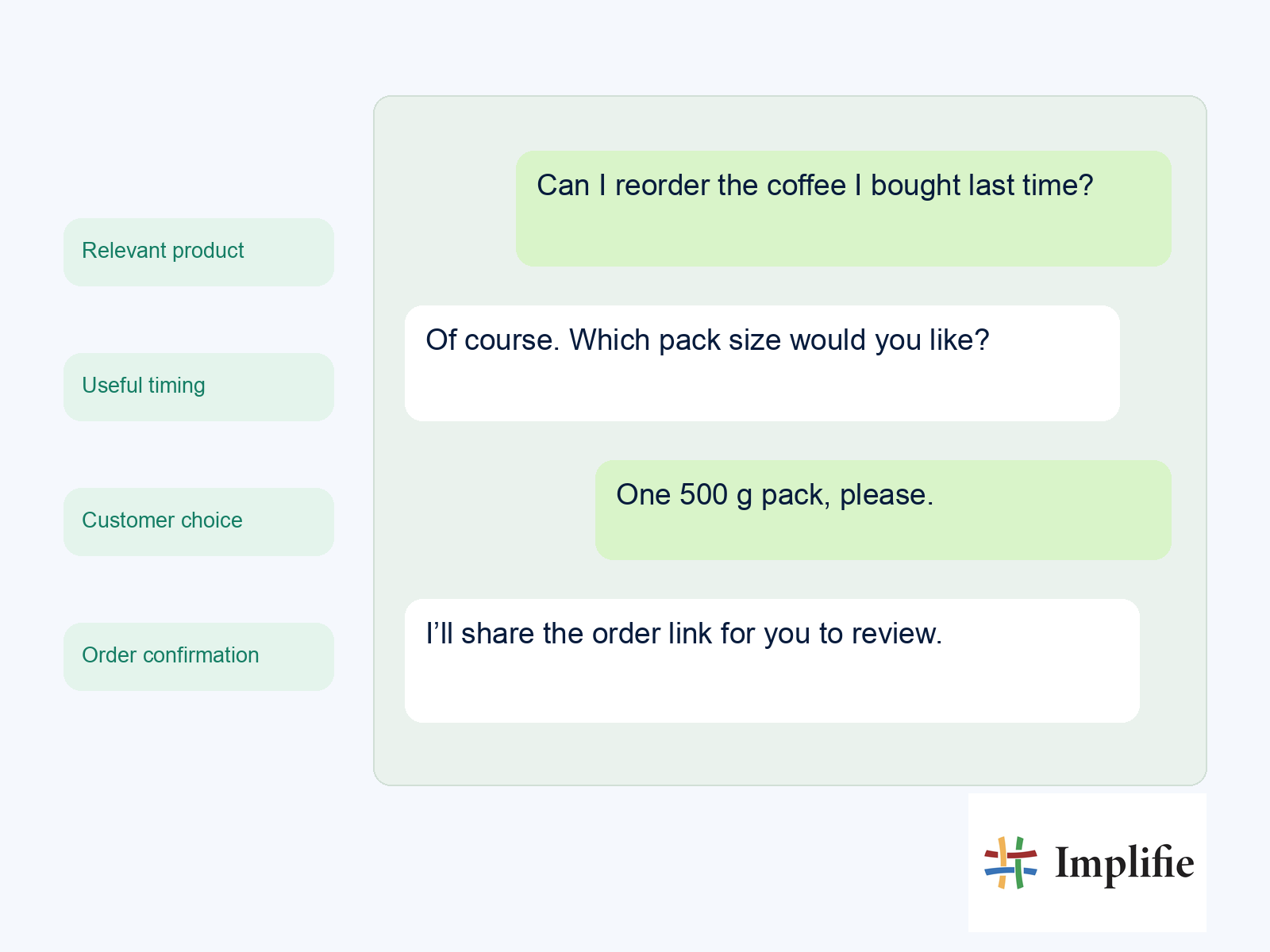
Give each email one job :
A sample schedule can use four messages: immediately, on day 2-3, on day 5-7, and on day 10-14. Match each send to one useful task rather than repeating a sale message. For example, the first email confirms the order, while the next offers practical guidance. The timing is a working example, not a rule for every product. A shipment delay or a long setup process can change when the customer is ready for advice. A short message with one clear purpose can serve the buyer better than an email crowded with shipping updates, product education, and several offers.
Check the email content against the buyer’s order before activating the flow. Product details, delivery expectations, and calls to action should match what the customer actually purchased. A seed profile can help you inspect how the messages and exit conditions behave across the full path. Test the complete path with a seed profile before switching the flow on.
- Immediately, confirm the order and explain what the buyer should expect next.
- On day 2-3, send usage, setup, or care guidance that helps the customer get started.
- On day 5-7, share social proof and a relevant cross-sell when it fits the purchase.
- On day 10-14, request a review or invite the buyer to join a loyalty program.
How Can Subscriptions Automate Repeat Orders?
A subscription automates repeat orders by agreeing on recurring billing and delivery terms before the next order is due. Shopify selling plans let you set billing and delivery at separate frequencies, such as billing every three months while delivering monthly. That flexibility can fit products customers receive more often than they pay for. Make the selling plan clear about how often customers are billed and when products arrive. Shopify Subscriptions supports weekly, monthly, or yearly auto-billed intervals. The subscription contract records the terms that govern a customer’s recurring purchase, so the customer and your team have a shared record.
Separate a reminder to buy again from permission to create a recurring charge. A replenishment message gives the customer a choice about another order; a subscription needs agreed billing terms and a working subscription system. Make the difference clear in the store and in customer communication. Before promoting a plan, walk through checkout, the customer account controls and an upcoming renewal so your team can explain what the buyer has agreed to and how changes will be handled.
Set billing and delivery terms :
Choose a billing schedule that matches the product and the customer’s buying pattern. Delivery can follow a different schedule when the item needs to arrive more often than the payment is collected. Show the plan terms before checkout, including the recurring charge and delivery frequency. Customers must agree to the cancellation policy terms at checkout. Shopify Subscriptions sends a reminder email three days before each recurring charge. That notice gives customers time to review an upcoming payment and act if their needs have changed.
Check the customer-facing wording against the settings in the chosen subscription application, because an explanation that sounds clear can still be wrong for the plan actually configured. The product quantity, charge timing and delivery timing should agree with what the buyer sees at checkout and in their account. If your offer includes an introductory period or a change after the first delivery, explain that transition explicitly. Keep a record of the terms presented when the customer enrolled so support staff can review a later question in context.
Keep customer controls and recovery options clear :
Customers can manage subscriptions in their accounts. They can change payment details or shipping addresses, pause or cancel, and view or skip upcoming orders. These controls help customers keep a plan that still fits rather than contact support for every routine change. Pausing stops future charges and upcoming orders until the customer resumes the subscription. Cancellation ends billing and delivery immediately, and it cannot be undone. Make that difference clear at the point of choice, since pausing is temporary while cancellation ends the contract’s ongoing cycle. For failed payments, set the number of retry attempts and the days between them.
After all retries fail, choose whether the subscription is skipped, paused, or canceled. Shopify Subscriptions emails customers and staff by default, and you can send a customer a link to update a card from the contract in Shopify admin. A retry plan should give customers a chance to fix a payment problem without leaving the outcome unclear. Keep the selected action consistent with how you handle a skipped order or a paused plan. Review the customer messages alongside the retry settings so a failed charge does not leave the buyer guessing. Review the pause, cancellation and failed-payment choices from the customer’s perspective before publishing the plan.
Which Shopify Subscription Apps Fit Different Budgets?
Compare the full cost of each subscription app using its current listing and your expected order volume. Monthly fees, transaction charges and plan limits can change; use the checklist below rather than choosing by the headline price alone. Calculate monthly charges and transaction fees using your expected subscription revenue and order volume. A free plan may suit a small program, while a paid plan’s fee structure may fit a different scale. Compare the same sales assumptions across apps before deciding what your platform needs.
A realistic comparison starts with your expected number of active subscribers, average order value and likely support needs. Apply the same assumptions to each app and check what happens if sales increase or a customer needs to pause a plan. A low monthly fee is only one part of the decision; the team also needs controls it can operate reliably and clear ownership of the contracts. Recheck the current listing before committing, and avoid treating an old comparison image or a headline offer as a complete statement of the cost.
| Cost or requirement | What to check |
|---|---|
| Monthly platform fee | The current app listing, included features and plan limits |
| Transaction charges | Percentage and fixed fees applied to subscription orders |
| Billing and delivery | Supported schedules and how customers change, pause or cancel |
| Failed payments | Retry controls, customer notifications and staff visibility |
| Switching apps | Contract ownership, migration support and uninstall consequences |
How Do You Measure and Improve Cross-Sell Results?
Measure whether customers buy again, not just whether they click a recommendation. Track the second-purchase rate and repeat purchase rate after 90 days to see whether the marketing leads to another order. Purchases reveal more than attention alone, especially when a customer can click without finding a product worth buying. Judge a recommendation by the purchase outcome it was meant to improve. Revenue per recipient connects the campaign to sales, while average order value shows whether buyers add more to an order. Email open and click rates help diagnose whether customers noticed and explored the offer.
Decide which purchase outcome the flow is intended to improve before choosing a success metric. An accessory recommendation and a replenishment reminder may affect different behaviours, so they should not automatically be judged by the same short reporting window. Keep track of who was eligible, who received the message and what happened afterwards, using the attribution available in your systems. A customer who opens a message but does not make another purchase has shown attention, but that alone does not establish that the recommendation earned a sale.
Track outcomes that connect to repeat buying :
Use a stable measurement window and compare customers who received the recommendation with a relevant baseline. Keep an eye on the rate of second orders, not only the total revenue from one large purchase. A small lift in repeat buying can matter more than a burst of clicks that does not turn into orders. Shopify Search & Discovery analyzes customer purchase history and product descriptions to suggest complementary products. Use those suggestions as a starting point, then check whether they fit your store’s products and customer needs.
Recommendation data can help you find patterns, but human review still catches weak matches. Interpret the figures in the context of the product and the customer group. A long-lasting item may naturally have a different repeat-purchase pattern from something used up each month. Compare similar groups and keep the definition of a second purchase consistent, especially if you change the campaign or the way orders are attributed. Review refunds, opt-outs and support replies alongside revenue so a short-term increase in sales does not hide a recommendation that creates confusion or customer dissatisfaction.
- Second-purchase rate shows how many customers place another order.
- Repeat purchase rate after 90 days captures continued buying over time.
- Revenue per recipient measures sales tied to each delivered message.
- Average order value shows how much customers spend per order.
- Email open or click rate helps diagnose attention and engagement.
Test relevance without crowding the message :
Test the number of recommendations, their placement, their timing, and the copy that explains them. One message might show a single item, while another offers 3-4 complementary products or a larger dynamic section. A dynamic section can provide more options, but it can also make the main message harder to scan. Change one test variable at a time, then give each version enough recipients to make the comparison useful. If you change both timing and product quantity, you cannot tell which change affected the result.
Keep the audience and measurement window consistent so the test answers a clear question. Recommendation tools can help identify potential product pairings, but automated suggestions still need review for compatibility and usefulness. Treat recommendation tools as a way to test ideas, then keep only offers that help your customers choose. Keep the version that improves the intended purchase outcome without making the message harder to use.
What Should Shopify Merchants Check Before Launch?
Before launch, verify that the subscription app has the right API access and that you know which app owns each contract. Subscription apps must request API access through the Partner Dashboard, and public subscription apps must meet Shopify App Store requirements. Ownership matters because the app that owns a contract initiates renewal billing. Custom apps created in Shopify admin cannot use subscriptions; single-store subscription apps must be created in the Dev Dashboard. A subscription contract is created after checkout, so record which app owns it before relying on renewals.
Check active contract ownership and the provider’s migration guidance before uninstalling a subscription app. Have the person responsible for the store and the person responsible for customer communication review the same launch checklist. They need to agree which application owns the subscription, which events can trigger a message and who follows up when billing or delivery needs attention. Confirm the current access requirements in Shopify’s documentation before relying on a custom implementation. A marketing journey can communicate an order event, but it should not be treated as the authority for whether a renewal charge or contract change actually succeeded.
Confirm app access and contract ownership :
Check that the app follows the right creation path for its use. Public apps need to meet Shopify App Store requirements, while a single-store subscription app must come from the Dev Dashboard. Custom apps created in Shopify admin are not eligible for subscriptions. Keep contract ownership clear in your operating notes, especially if staff manage multiple subscription apps. The owning app starts renewal billing, so an app change can affect an ongoing customer relationship. An uninstall can affect ongoing subscriptions, so check the current provider guidance and migration procedure before making that change.
Document how the team would answer a subscriber who asks which application manages their plan or what happens during a migration. Do not uninstall a subscription app as a routine cleanup step without checking its active contracts and the provider’s migration instructions. If you operate more than one app, keep the ownership boundaries clear so a reminder is not sent from an old workflow after the commercial arrangement has changed. Review these operating notes whenever the subscription system or its integration is replaced.
Prepare for billing failures and API changes :
In GraphQL Admin API version 2026-10 and later, contract changes use an asynchronous calculate, poll, and commit process. The system calculates the change, you poll for its result, and then commit it. A calculated change has no effect until it is committed. Do not treat a calculated contract change as active until the commit succeeds. A failed billing attempt can produce a subscription_billing_attempts/failure webhook. A bank request for 3D Secure produces a /challenged webhook, which signals that the customer must complete an added authentication step.
Make sure your handling distinguishes a failed charge from a payment challenge. Billing error codes can identify common reasons a charge did not go through, as outlined below. Decide which retry or customer-support path applies to each failure, and keep the response visible to staff. A challenge needs a different response from a card that has expired. Confirm the recovery path for each billing error before relying on renewals to run unattended.
- INSUFFICIENT_FUNDS means the account lacks enough funds for the charge.
- EXPIRED_CARD means the payment card has passed its expiration date.
- CARD_DECLINED means the card issuer declined the payment.
- DO_NOT_HONOR means the issuer did not approve the transaction.
Bring the follow-up into WhatsApp with Implifie
If your buyers prefer WhatsApp, use the same relevance-first approach alongside your email and store workflows. Implifie’s WhatsApp commerce tools help teams manage product enquiries, while follow-up automation supports reminders and next steps. Confirm the required store events and integration setup before promising automatic order updates or recommendations. Keep purchase context in your WhatsApp CRM and route replies to a shared team inbox. Obtain the required messaging permission, use approved templates where required, and stop a promotion when the customer buys or opts out. Shopify or the chosen subscription app remains responsible for recurring billing; a WhatsApp reminder does not create a subscription contract.
Choose one point at which WhatsApp adds a useful conversation rather than duplicating every email. A buyer might prefer to ask about compatibility before ordering an accessory, or reply to a replenishment reminder with a different quantity. Give the receiving team enough purchase context to answer that question, and make the handoff visible in the shared workspace. Check the required connection and plan before enabling the journey, then review whether replies lead to a useful next step rather than simply adding another channel to the same promotion.
Start with one useful next purchase
Effective automation pairs a clear customer signal with a next step that genuinely helps. It also respects the product’s natural use cycle, so follow-up arrives when a customer can act on it. That balance can support growth without making each message feel like another demand for attention. Choose a leading product in your store, identify one complementary item or replenishment need, and map the trigger and exit condition. Then watch whether the path leads to another purchase and adjust only when the result points to a specific improvement.
Choose one product pairing today, then measure whether it earns a second purchase. Write the first version of the journey as a small operating plan: the purchase event, the customer need, the message, the stop condition and the person who handles exceptions. Ask a colleague to follow the test journey as a customer and note where the next step is unclear. Once it is running, compare the intended purchase outcome with the feedback and replies the team receives. Expand only when the existing flow remains useful after cancellations, repeat purchases and changed preferences. That gives your store a repeatable way to improve relevance while keeping customers in control of the next order.
Start automating repeat orders and cross-sells with one relevant customer need, a verified purchase event and a clear stop condition. Expand only when the team can explain the workflow, handle exceptions and show that the recommendation helps customers make a useful next purchase.
Frequently asked questions
What is the difference between an upsell and a cross-sell?
An upsell offers a higher-value version of the item, while a cross-sell adds a complementary product. For example, a premium model of a product is an upsell, while an accessory that works with the original is a cross-sell. Keep the distinction clear in your reporting, because the two offers respond to different customer needs and buying decisions.
How many products should I recommend in a cross-sell email?
Test one recommendation against 3-4 complementary products or a larger dynamic section. Compare purchases and revenue per recipient, not just the click rate. A single item can keep the email focused, while several choices can suit customers with different needs. The version that works best depends on whether added options help customers decide or make the message harder to scan.
Can I let a customer enter a cross-sell flow more than once?
Yes, you can let a customer enter again after each qualifying purchase by setting repeat-trigger rules. Add a prevention window when frequent orders would make another message irrelevant or repetitive. The right rule depends on the product’s use cycle and the customer’s buying pattern. Make sure a new entry reflects a genuinely new need, not simply another event with no useful next step.
Can Shopify Flow recommend products by itself?
No, Shopify Flow connects triggers, conditions, and actions, but it does not independently generate product recommendations. Pair it with a product recommender, such as Shopify Search & Discovery, for complementary suggestions. Flow can then support the response to a customer or order event. Review the suggested products before using them in customer messages, since an automated match still needs to fit the actual purchase.
What should happen after a subscription payment fails?
Configure the number of retries and the days between attempts, then choose whether the subscription is skipped, paused, or canceled after all retries fail. The customer should receive a clear path to fix payment details when appropriate. A useful recovery setup also gives staff visibility into the failure, so they can distinguish an expired card from a temporary issue or a bank authentication request.
Can subscription billing and delivery happen at different intervals?
Yes, a Shopify selling plan can bill every three months while delivering monthly. Separate frequencies can fit products that customers receive more often than they pay for. State both schedules clearly before checkout so the recurring charge and delivery dates are easy to understand. The selling plan records those agreed terms, and the subscription contract governs the customer’s recurring purchase.
