


WhatsApp automation for Recruitment
Capture inbound leads, run outbound broadcasts, manage helpdesk and support conversations, sync CRM records, and automate follow-ups for recruitment teams.
- WhatsApp Business API
- WhatsApp Analytics
- WhatsApp Follow-Up Automation
- WhatsApp Forms

Quick Answer
Collect useful details for each candidate enquiry
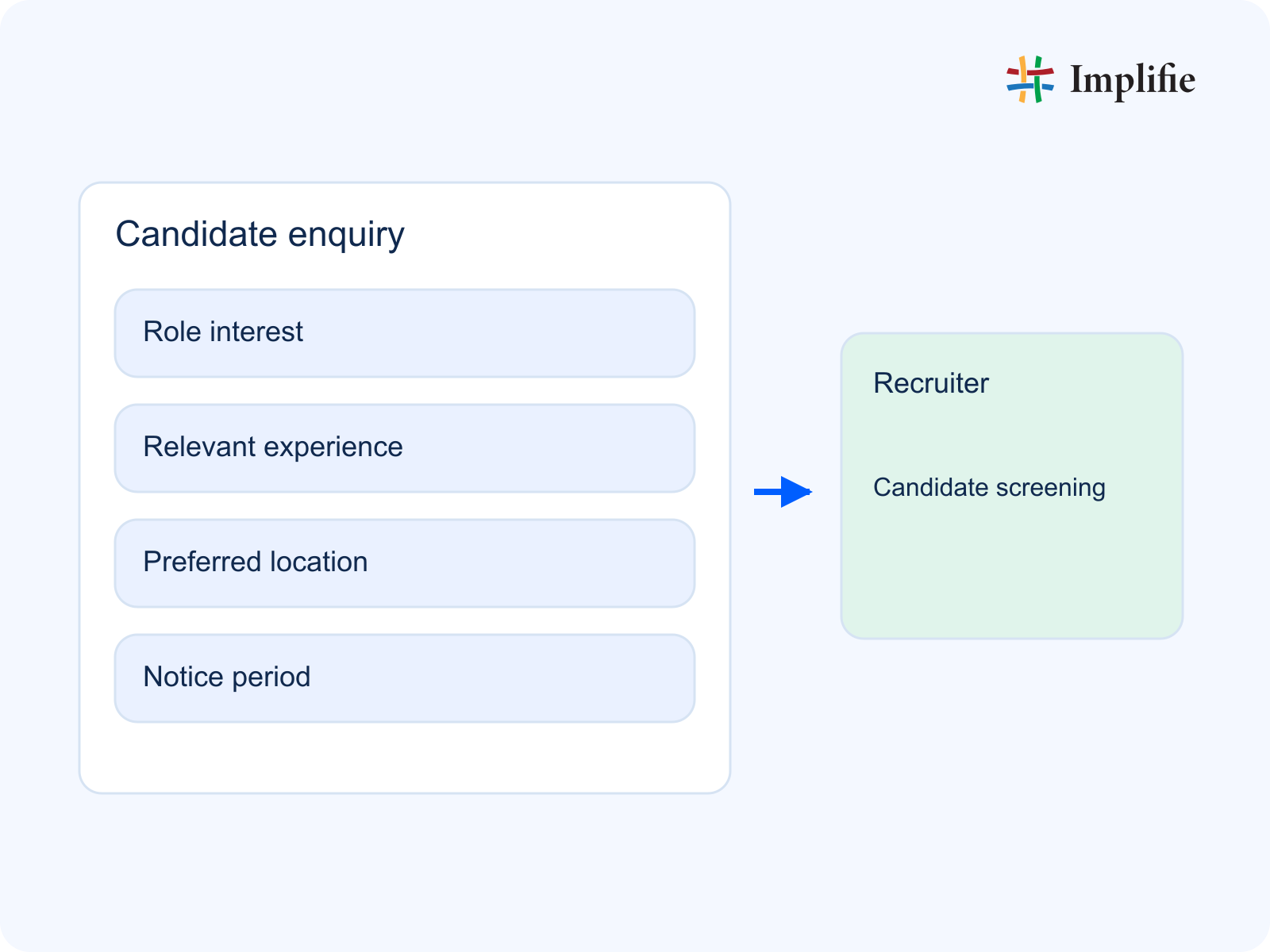
Start each candidate enquiry by collecting role interest, relevant experience, preferred location and notice period. Ask only for information needed to choose the next useful action, and leave room for an incomplete answer. Save the enquiry in a customer record with a clear owner: the recruiter. Record the next action as ‘Candidate screening’, subject to the team's review. A requested appointment, quotation or visit is not a confirmation; the responsible person must check availability and explain what happens next.
Where WhatsApp automation helps recruitment teams
Recruitment teams receive candidate inquiries from ads, websites, referrals, social media, landing pages, and direct WhatsApp messages. Implifie gives the team a structured workflow where every enquiry can be captured, assigned, answered, followed up, and tracked.
WhatsApp CRM
Broadcast Campaigns
Shared Inbox
AI Reply Suggestions
Follow-Up Automation
Where recruitment leads come from
Capture and manage enquiries from every source where your recruitment business receives interest, questions, bookings, and follow-up requests.
Website Forms
Google Ads
Meta Ads
Referrals
Landing Pages
Manage recruitment communication across leads, broadcasts, and support
Implifie helps recruitment teams manage the full WhatsApp journey from new enquiry to broadcast, support reply, CRM update, and follow-up campaign.
Inbound Lead Management
Capture new enquiries from ads, website forms, landing pages, referrals, and WhatsApp clicks.
Outbound Broadcast Campaigns
Send approved WhatsApp broadcasts for reminders, offers, updates, and re-activation.
Helpdesk & Customer Support
Manage customer questions with shared inbox, AI reply suggestions, FAQ flows, and team assignment.
Inbound Workflow
Example enquiry and reply for recruitment teams
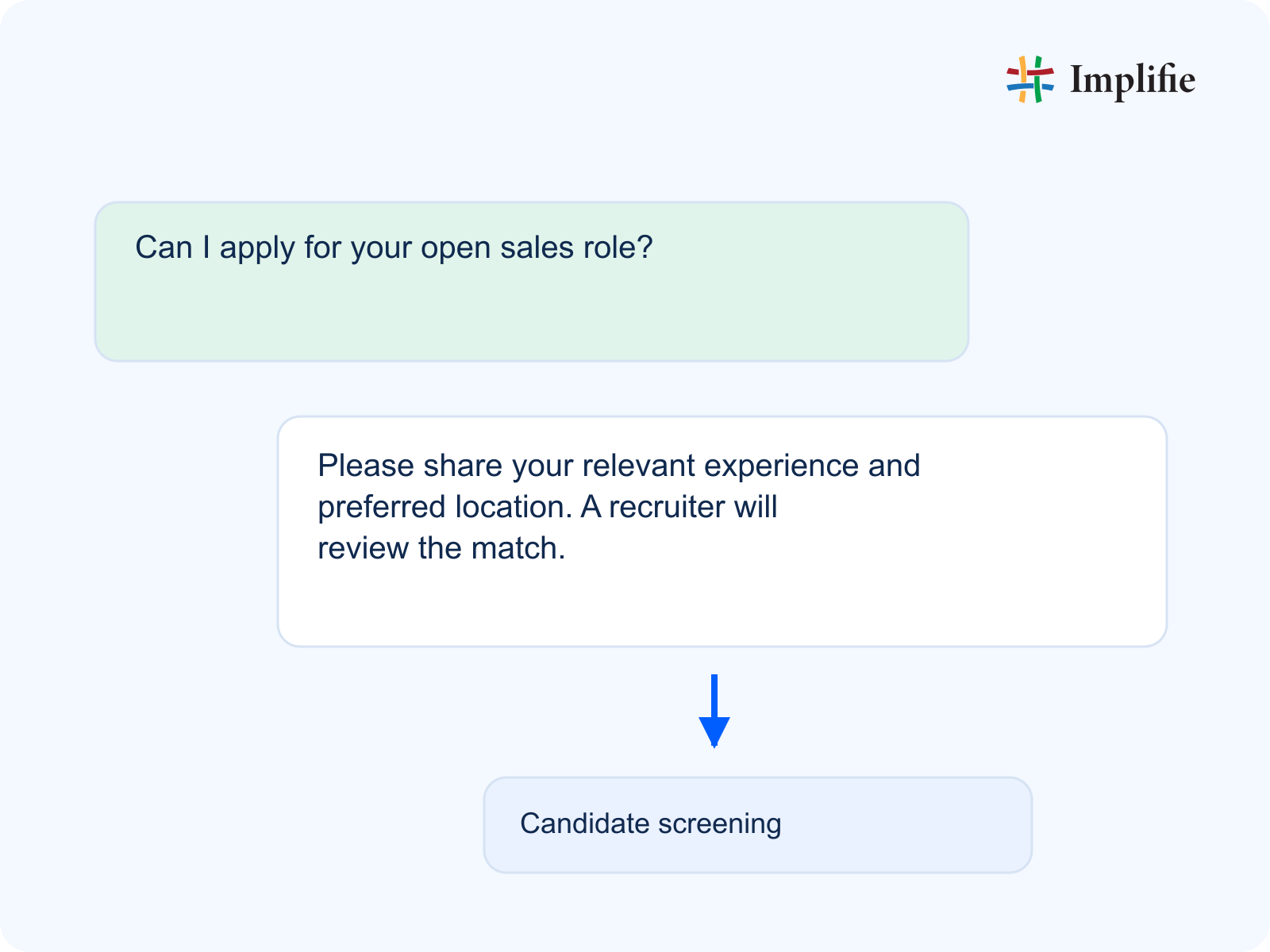
For example, a customer might ask: ‘Can I apply for your open sales role?’ A useful first reply is: ‘Please share your relevant experience and preferred location. A recruiter will review the match.’ This example shows how to gather enough context without turning the chat into a long form. Save the answers in the customer record and pass the conversation to the recruiter with the unanswered questions still visible. If the customer changes the requirement, update the record rather than restarting the same questions. Keep the exchange in a shared inbox so a colleague can continue it, and adapt the example wording to your own service and availability.
Broadcast campaigns for recruitment teams
Use approved WhatsApp templates to send timely updates, reminders, offers, and re-activation campaigns to selected audiences.
Offers
Appointment reminders
Re-activation
Event updates
New launch broadcasts
Payment reminders
Support workflows for Recruitment
Use a shared inbox, assignment, AI replies, FAQ bot flows, and support follow-ups to keep recruitment conversations moving.
Shared inbox
Team assignment
AI reply suggestions
FAQ bot
Support follow-ups
Escalation notes
How Implifie helps recruitment teams
Capture more enquiries, respond faster, reduce manual follow-ups, and keep every WhatsApp conversation connected to your recruitment workflow.
Capture candidate inquiries from WhatsApp
Save incoming candidate inquiries with source, interest, contact details, and conversation history.
Assign conversations to the right team member
Route chats to the right person with context, notes, and ownership visible.
Automate interview follow-ups
Send reminders and next-step messages without depending on manual tracking.
Answer repeated questions faster
Use chatbot workflows and AI reply suggestions for common customer questions.
Run targeted WhatsApp broadcasts
Send approved campaigns to selected lists and route replies back into your workflow.
Track every follow-up
Keep notes, tags, status, and follow-up ownership visible to the whole team.
Example Recruitment WhatsApp workflow
A simple WhatsApp workflow for recruitment teams that want to capture enquiries, support customers, and follow up on time.
- 1
Customer clicks WhatsApp
The enquiry starts from an ad, website, social media, referral, marketplace, or QR code.
- 2
Implifie asks key questions
The workflow collects the details your team needs before replying or assigning.
- 3
Conversation is assigned
The right team member receives the chat with customer context and next action.
- 4
Follow-up is automated
Reminders, broadcasts, updates, and next-step messages keep the conversation moving.
Recruitment Integrations
Pass the enquiry to the right recruiter
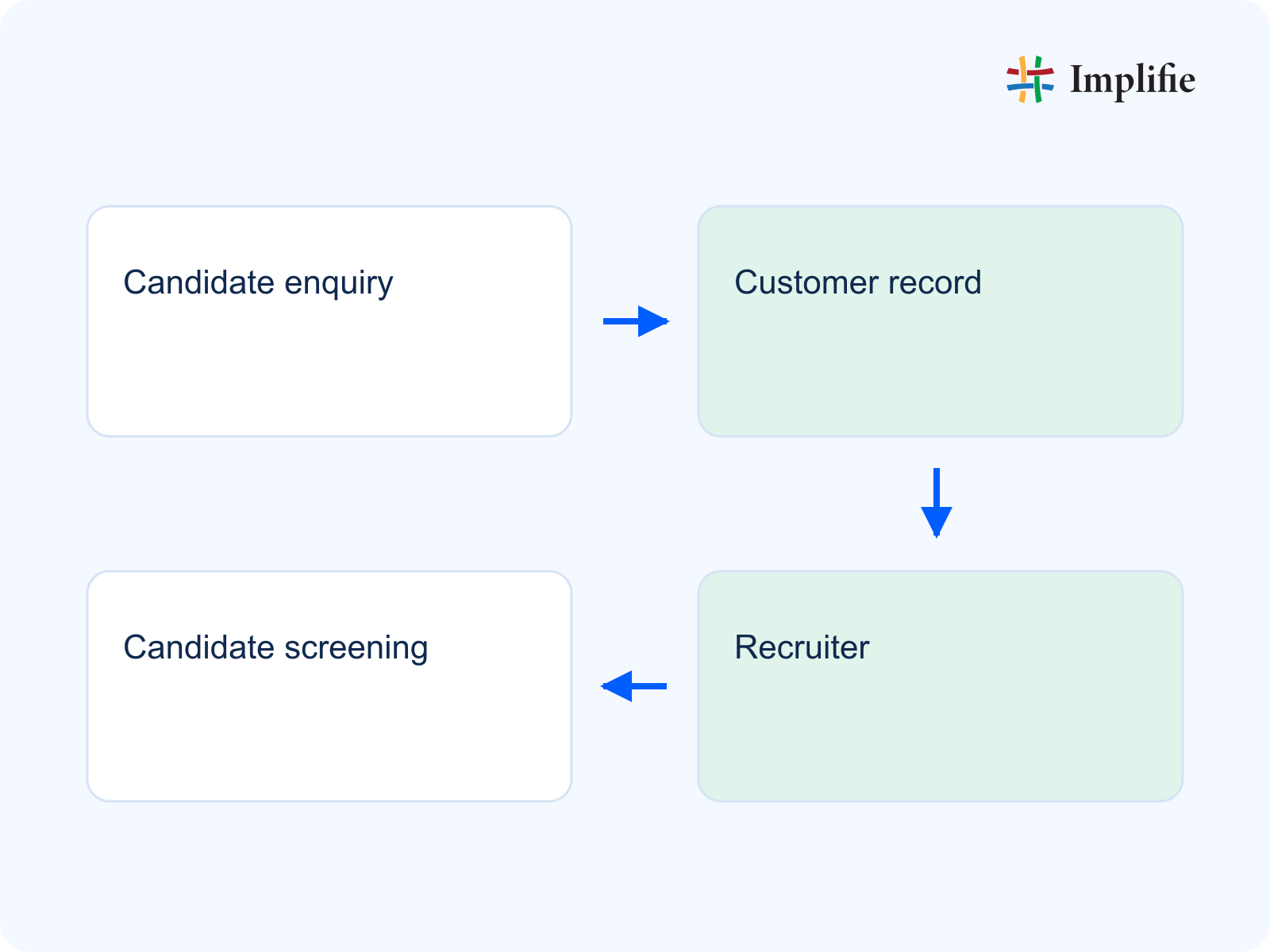
Define how the candidate enquiry moves from the conversation to a customer record, the recruiter and the agreed next action. Choose which of role interest, relevant experience, preferred location, notice period must be carried across, then test with a sample enquiry. Any connection to an external system needs the supported integration, field mapping and permissions configured first. Check that the receiving team can see the correct details; if an update fails, keep the original conversation and assign a person to resolve the mismatch instead of silently losing the request.
Start with Implifie
Choose the right starting point
Start with a free trial or book a demo to understand how Implifie can support your WhatsApp enquiries, broadcasts, support, and follow-ups.
Built for WhatsApp Teams
Review exceptions before confirming the next step
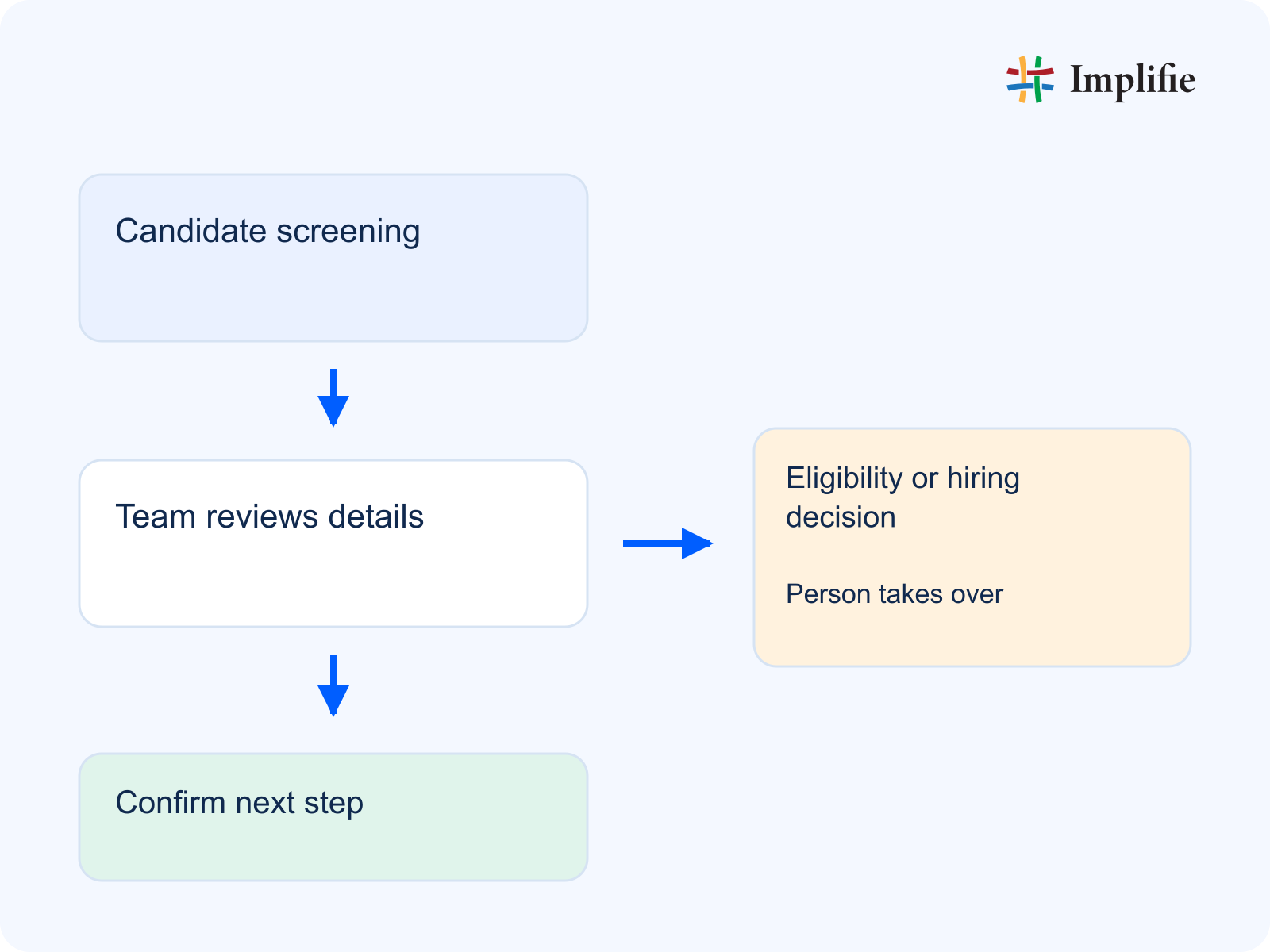
The recruiter should review the details before confirming the next step. If the issue is ‘Eligibility or hiring decision’, route it to a person and tell the customer when a reply needs further review. Send consented interview and vacancy updates to relevant candidates; keep screening decisions and confidential candidate data with the recruiter. Keep promotional outreach separate from an unresolved service request. Record the agreed next action and who owns it, so another colleague can continue from the same context. A workflow should make the handoff easier without promising an outcome that still depends on availability, assessment or a separate business system.
Questions about Recruitment WhatsApp automation
Can recruitment teams use WhatsApp automation for enquiries?
Yes. Implifie helps recruitment teams capture enquiries from WhatsApp, ads, website forms, landing pages, referrals, and QR codes.
Can Implifie send WhatsApp reminders?
Yes. Teams can use approved WhatsApp templates for reminders, follow-ups, broadcasts, updates, and customer reactivation.
Can the team manage WhatsApp chats together?
Yes. Implifie provides shared inbox workflows with assignment, notes, customer history, and follow-up status.
Can Implifie help with customer follow-ups?
Yes. Implifie can help automate follow-up reminders, feedback requests, reactivation messages, and support conversations.
Can we run WhatsApp broadcast campaigns?
Yes. You can send approved WhatsApp broadcast campaigns to selected contact lists and track replies for follow-up.
Does Implifie work with WhatsApp Business API?
Yes. Implifie is built for WhatsApp Business API workflows and supports guided setup.