


A shopper asks whether a cushion cover fits their sofa, another is waiting for dispatch and a returning customer wants the colour they bought last time. Sending all three the same offer misses what each person needs. WhatsApp marketing strategies for D2C brands work best when they connect the customer’s situation with a useful conversation and a clear next step. Direct-to-consumer (D2C) brands can begin with one journey instead of trying to automate the whole customer lifecycle at once.
This guide focuses on deciding whom to contact, what to say, when a colleague should join and how to judge the outcome. It does not rely on universal open-rate or revenue benchmarks. A well-run WhatsApp workflow for ecommerce can support marketing and service, but the useful result depends on your product, audience, operating process and connected systems. Choose a problem you can observe in customer conversations, then design the smallest journey that can help resolve it.
Choose one D2C WhatsApp marketing journey first
Start where a customer regularly needs help making progress. Product questions may need a quick conversation about size or compatibility; an order update needs accurate fulfilment information; a repeat-purchase message needs a plausible reason to contact that buyer again. These are different jobs. Combining them into one promotional sequence makes it harder to explain the message and harder to measure whether it helped. Pick one journey, its source of information and the person responsible for replies before writing the campaign.
| Customer situation | Useful message or action | Check before sending |
|---|---|---|
| Considering a product | Answer a sizing, compatibility or availability question | Use the exact product variant and current information |
| Checkout left unfinished | Offer help with the identified order or checkout | Confirm contact eligibility and that the purchase is still incomplete |
| Waiting for an order | Share a verified order or delivery update | Read the current event from the connected store or fulfilment system |
| Ready for another purchase | Suggest a relevant refill or product choice | Check purchase history, timing, preferences and existing orders |
Treat this table as a planning framework rather than four campaigns that every store must run. If the team cannot see a reliable checkout event, do not build an abandoned-cart message that assumes one occurred. If dispatch data is delayed, fix the source before promising real-time updates. Implifie’s commerce tools connect supported product and order activity with messaging workflows where configured. Confirm the event, sender, template mapping and plan for the particular journey you want to launch.
Build customer segments that change the message
A segment is useful when it changes the help you provide or the action you ask someone to take. Someone who bought a small coffee pack last month may need a different conversation from a new visitor asking about flavours. Use information your business legitimately holds and can keep accurate, such as product interest, recorded purchase or an explicit preference. Avoid collecting extra personal details simply because they might be available, and do not infer sensitive traits to create a promotion.
- Customer need: Describe the specific question, unfinished task or next purchase the journey serves.
- Eligibility: Define the permission, relevant product context and current status required to enter.
- Exclusions: Remove recent purchasers, unresolved complaints and people who opted out where those conditions make the message inappropriate.
- Exit condition: Specify what stops the journey after a purchase, reply, changed preference or completed task.
Check the audience again before a delayed send. A shopper can complete checkout, return the original product or ask support to pause contact after they entered a segment. Your customer record should help the team see those changes rather than leaving the campaign to work from an old export. Write a simple description of who should receive the message and ask a colleague to review sample records against it. That catches ambiguous rules before they reach customers.
Connect product questions with the right next step
A product conversation should narrow the choice without inventing stock, delivery dates or product benefits. Ask the detail that determines the answer, such as size or intended use, then check the appropriate product record. A catalogue can help someone browse, but it does not remove the need to verify the variant they actually want. When information is missing, explain the check that is pending and give the conversation an owner instead of using a confident generic reply.
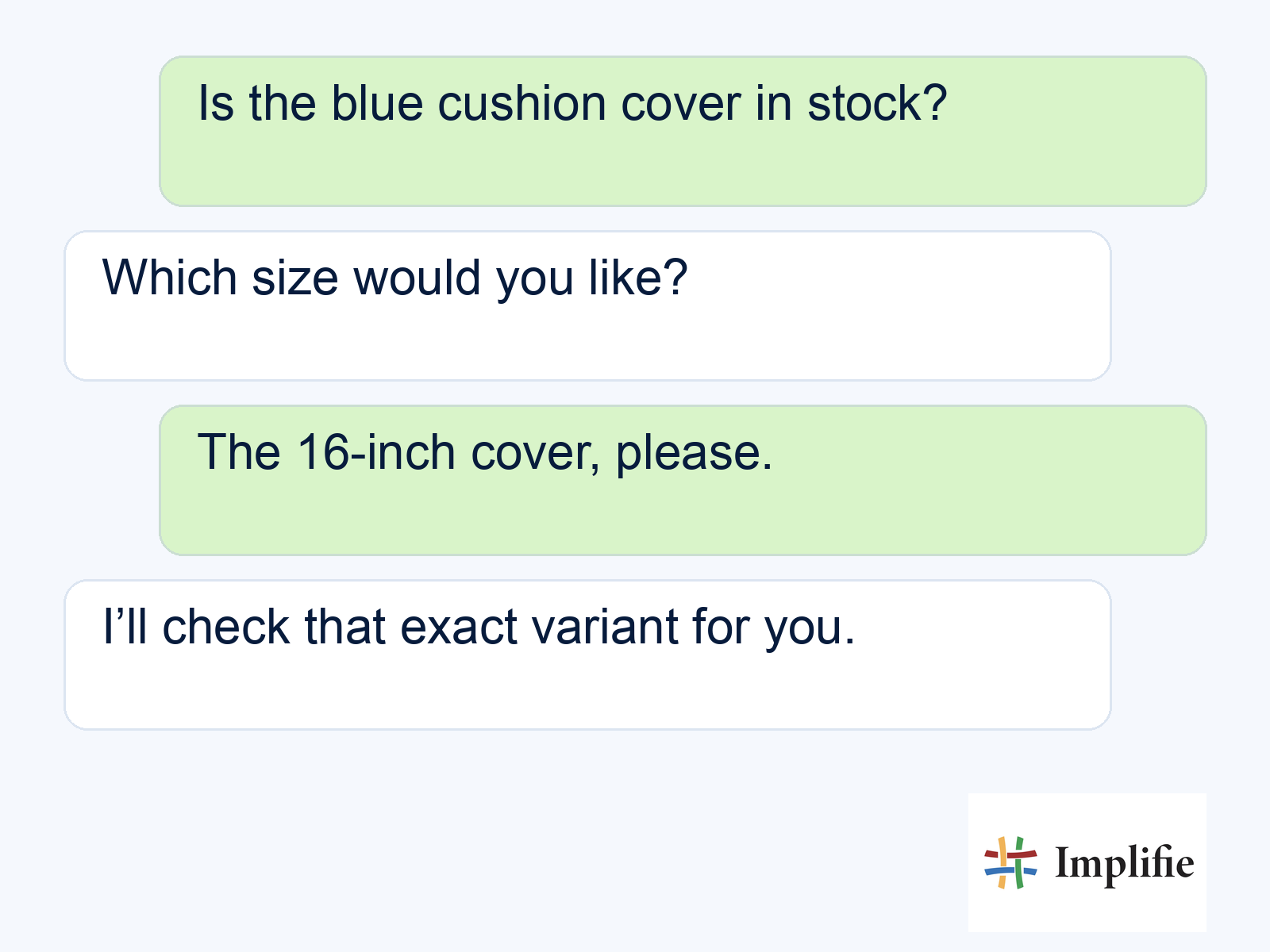
The illustration shows an opening exchange for a fictional home décor enquiry. A helpful next reply would give the checked availability and a relevant product or checkout route. If the customer asks about a custom size or uncertain delivery deadline, pass the collected details to a person. Chatbot workflows can collect predictable inputs, while a shared team inbox gives colleagues the context to continue. Automation should make that handover easier, rather than force the shopper to start again.
Plan WhatsApp broadcast campaigns around one offer
Give each campaign one purpose and make the customer’s next step obvious. A product launch can invite interested shoppers to view the relevant collection; a replenishment message can ask whether the previous item is needed again. Avoid loading one message with a launch, a survey, a discount and a service update. Use WhatsApp broadcast tools with a defined audience, then prepare the colleague or workflow that will receive the replies. Sending a campaign creates a conversation workload, not just a delivery report.
Keep service information and promotions distinct in your planning. An order update should not be a disguised sales pitch, and a promotional template should reflect its actual purpose. Review the current WhatsApp messaging policy for permission, opt-outs and template requirements. Check the applicable Meta messaging charges and platform costs before budgeting. Account limits, quality controls and platform capacity still matter; a campaign tool does not make broadcasts unlimited or guarantee delivery.
Automate the journey without losing ownership
Write the workflow as a sequence another colleague can explain. Start with the customer event, check eligibility, choose the approved message, handle replies and record the outcome. Use the same product and customer references throughout so a reply can be connected to the right enquiry. Follow-up automation is most useful when it reacts to the current stage. A customer who already purchased should not receive the next cart reminder simply because it was scheduled several hours earlier.
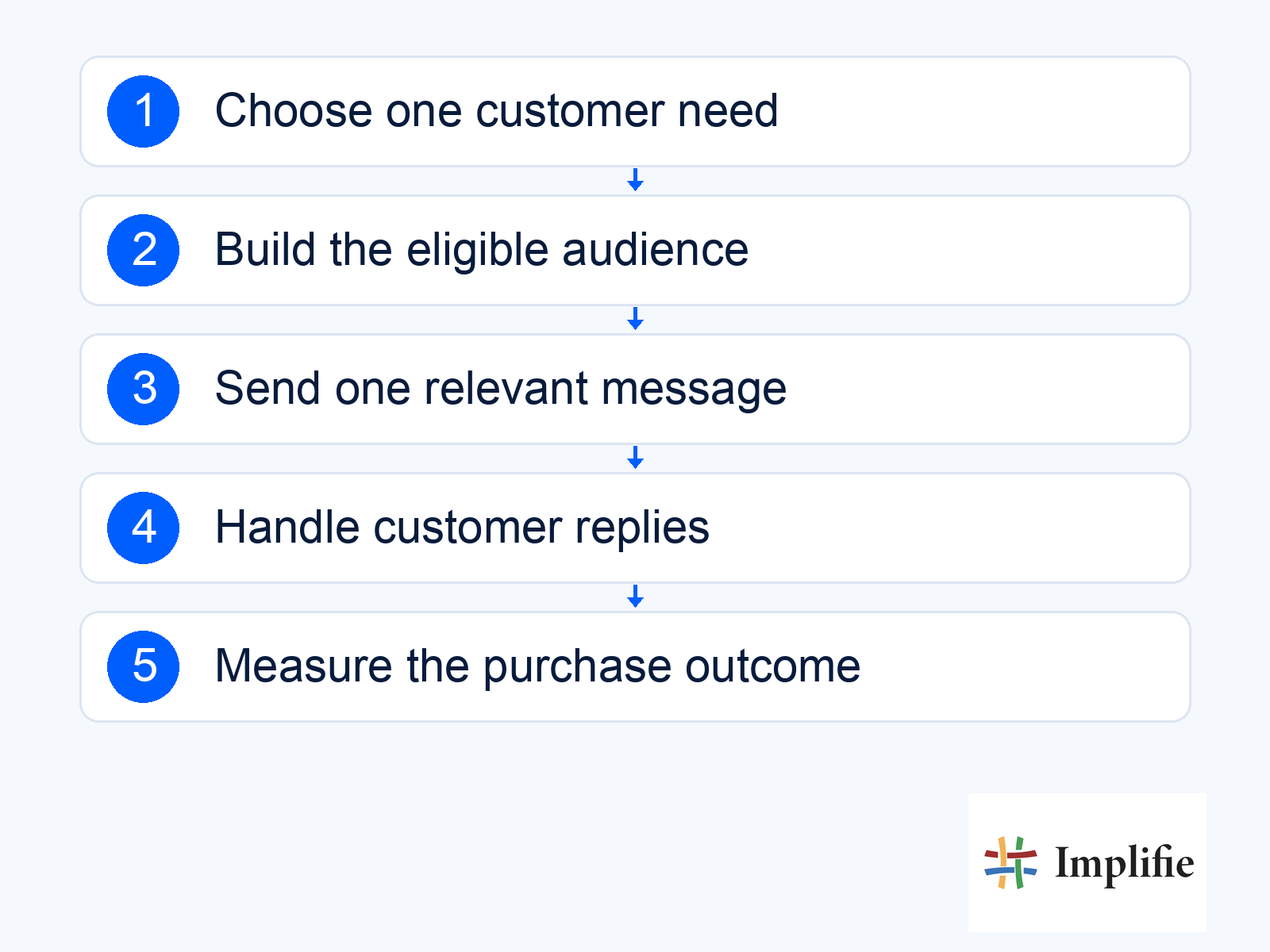
Test exceptions before increasing the audience. Try a customer who purchases while the message is waiting, a missing product reference, a failed store connection and someone who asks for a person. Stop the automated sequence when its purpose no longer applies. Keep a fallback owner for questions that the flow cannot answer, and explain what happens outside working hours. A quick acknowledgement is useful only if the shopper can then obtain the information or action they actually requested.
Measure purchases and customer experience together
Decide what success means before you launch. A product-assistance journey may be judged by resolved questions and later purchases, while an order-update journey should be assessed against accurate updates and fewer avoidable follow-ups. Record the eligible audience, delivered messages, replies and completed purchase events that your systems can connect reliably. Use WhatsApp analytics alongside store and support records where needed. A read receipt or click shows attention, but neither establishes that the customer completed an order because of the campaign.
- Purchase outcome: Count the intended order or repeat purchase using a consistent attribution window.
- Commercial cost: Include message charges, platform costs, discounts and relevant operational work when assessing the result.
- Customer experience: Review opt-outs, complaints, unresolved replies and inaccurate answers alongside revenue.
- Test design: Change one important variable at a time and compare similar audiences over the same period.
Give the test enough time to reflect how the product is bought and used. A consumable and a long-lasting home décor item do not have the same natural repeat-purchase interval. If one version performs better, inspect examples of the conversations before applying it to every customer group. The difference may come from audience selection, stock availability or a seasonal offer rather than the wording alone. Keep the version that helps customers and produces a sustainable outcome, rather than chasing an impressive benchmark from another brand.
Make retention useful after the first order
A repeat message should have a reason the customer can recognise. That might be care guidance after delivery, a relevant refill or a genuinely suitable product choice. Set the timing around the product’s use and the information you have, then let the buyer decide what happens next. Avoid treating every past purchase as permission for an endless promotional sequence. If you want to develop a repeat-order journey, the guide to repeat orders and cross-sells explains how product fit, timing and exit conditions work together.
Feedback requests can help the team learn about the experience, but the response needs a route into service when something went wrong. Pause a recommendation if the customer is waiting for a replacement or refund. If you explore community groups, treat that as a separate customer choice and review participant privacy before inviting people. A private conversation, a group and a broadcast are different experiences; choose the format that fits the customer need rather than assuming one channel can substitute for all the others.
Start with one useful customer journey
The strongest WhatsApp marketing strategies for D2C brands start with a customer need your team understands. Choose one audience, one relevant message and one outcome to review. Connect the information required to finish the task, give replies a clear owner and keep stop rules active as the customer’s situation changes. Expand when the first journey remains accurate and helpful, rather than adding more messages to a process that still loses context.
Frequently asked questions
Do I need to automate every stage of the customer lifecycle?
No. Start with one frequent need and a reliable data source. Add other journeys when you can explain their purpose, ownership and exit conditions.
Can an order update include a promotional offer?
Review the template category and actual content before combining them. Do not assume an existing service message is approved for an added promotion.
Can every store offer payment entirely inside WhatsApp?
Do not assume that. Verify the checkout flow, provider, account and market requirements. A hosted payment link is a different experience from native in-chat payment.
What should happen when a campaign generates questions?
Route replies to a responsible colleague or a supported workflow with the original product and customer context. Review unresolved replies before sending another campaign.
