


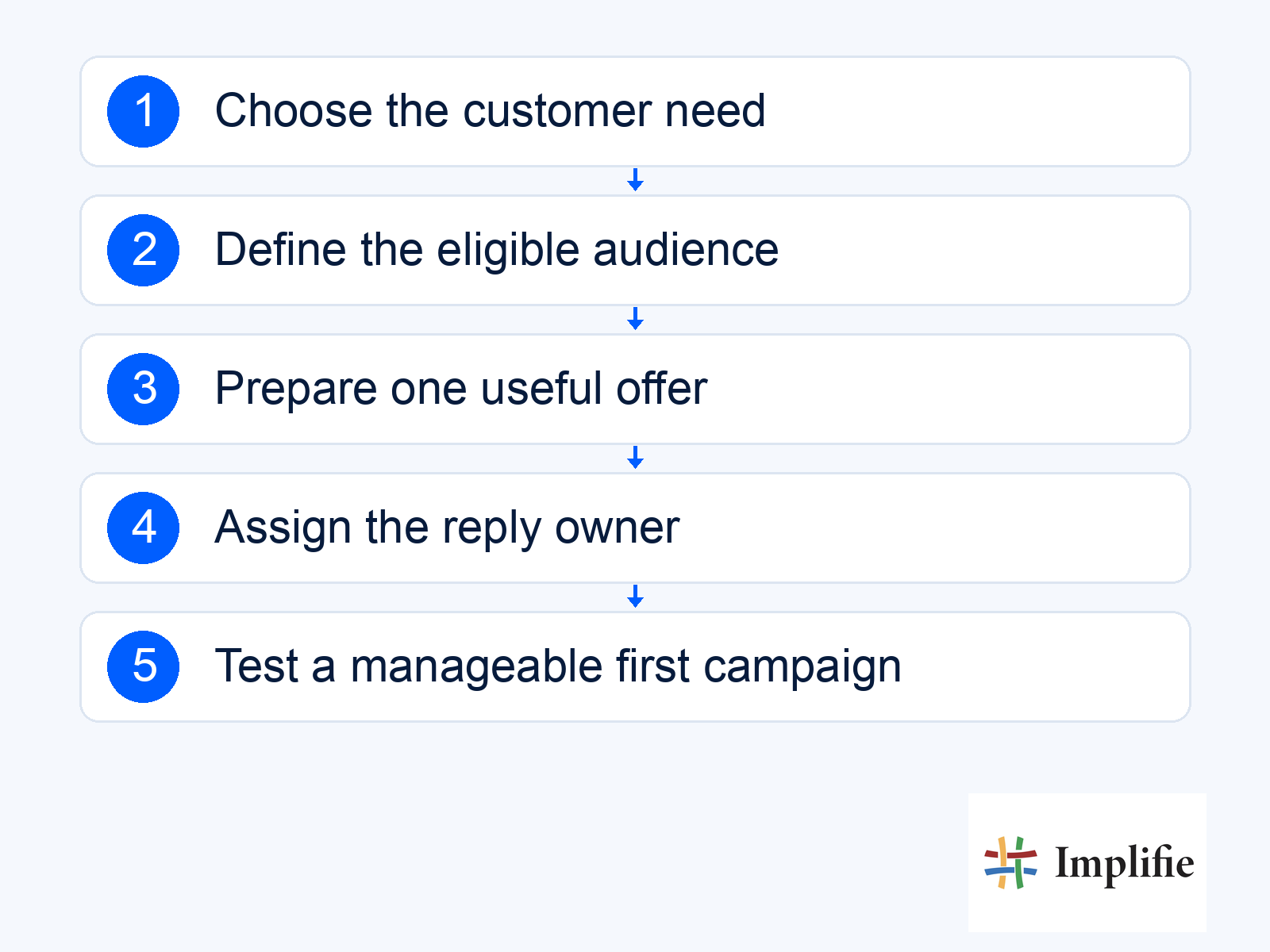
Before writing the promotional message, finish this sentence: “When the right customer receives this, they should be able to…” WhatsApp marketing for small business becomes easier to plan when that next action is specific. A customer might view a suitable product, ask about a service or request an appointment. “Engage with our brand” leaves too much unresolved. Choose an action the business can support, then build the message and reply process around it.
This is a first-campaign planning guide. It covers the brief, audience, offer and practical launch checks; the separate strategy improvement guide addresses what to change after you have results. For a local service business, a manageable campaign might invite relevant enquiries about one clearly defined service. A retailer might instead help interested buyers choose from a current range. Neither needs to begin with every contact in the database.
Write a one-page brief for the first WhatsApp campaign
State the customer need, the audience and the useful outcome before choosing a format. Explain why the offer is relevant now and what happens after someone replies. If the campaign requires a product catalogue, quote or appointment slot, check that the information exists and has an owner. A concise brief gives marketing, sales and support the same definition of the task, so a message does not promise something the receiving team has never agreed to provide.
- Audience: Describe who the campaign is for and why they belong in it.
- Customer need: Name the decision or problem the message helps with.
- Offer: Use an actual product, service or benefit with clear conditions.
- Next action: Choose one main step the person can take.
- Reply owner: Assign the team that will continue the conversation.
- Success event: Define the completed outcome you will verify.
Build the audience from a relevant relationship
Select recipients whose situation matches the message, then apply the necessary exclusions. A person who asked about a service is a different audience from a past buyer or a contact imported from a directory. Keep the reason for inclusion visible in the customer record. Review the current messaging policy and contact choices before sending. A large list is not useful if the team cannot explain why the message belongs in each recipient’s conversation.
For the first test, keep the audience small enough that the team can examine the replies and fulfil the next step. There is no universal best list size in this guide. The appropriate number depends on expected demand, the offer and available staff. If the service can handle only a limited number of requests, make that constraint accurate and visible rather than using a larger send to create work the business cannot complete.
Match the message to one useful destination
Write the benefit in concrete terms, explain what is available and choose a direct action. A service enquiry can invite a reply with the location and requirement. A product message can lead to the relevant item or buying guide. Test the real destination on a phone and check whether the information matches the message. Do not label a generic contact page as a confirmed booking flow or imply that clicking reserves stock.
| Campaign purpose | Main action | Business preparation |
|---|---|---|
| Explain a service | Ask about the relevant requirement | Current scope, coverage and an enquiry owner |
| Introduce a product range | View the relevant selection | Accurate price, variants and availability |
| Invite a consultation request | Use the supported request or booking route | Clear distinction between requested and confirmed |
| Answer a buying objection | Read a useful explanation or reply | Approved information and escalation for exceptions |
| Help an interested buyer continue | Take the agreed next step | Current context and an appropriate stop rule |
Prepare replies before launching WhatsApp marketing
Write down the questions the offer is likely to generate and give the team reliable answers. If the price depends on a location or specification, explain what must be checked before a quote is confirmed. Use the shared inbox to keep ownership clear. The illustrative exchange below shows an enquiry being qualified; it does not establish that a service appointment or price has already been agreed.
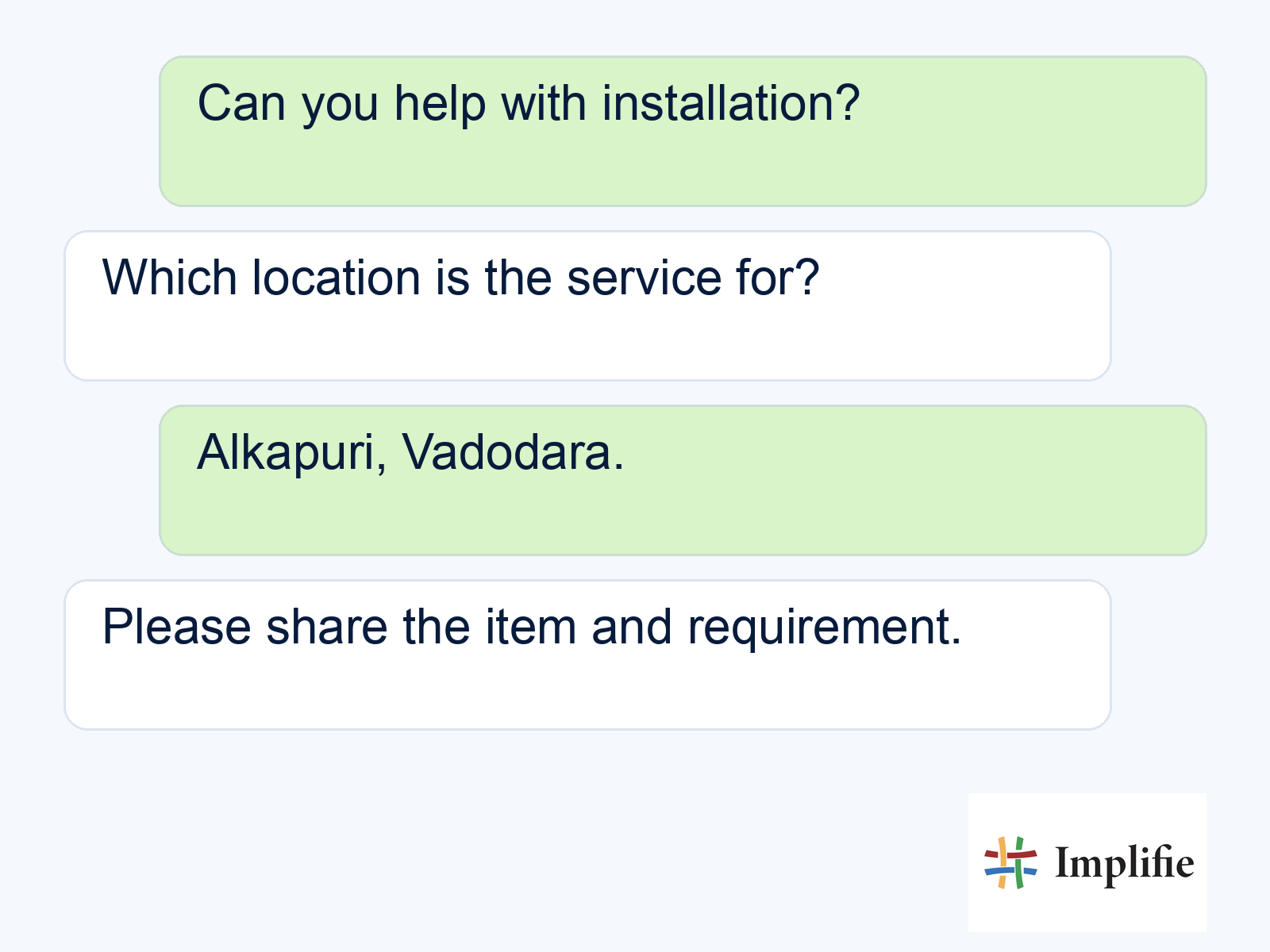
A chatbot flow can collect predictable context, but leave uncertain suitability and exceptions to the responsible person. Decide how the team will acknowledge requests outside its actual working hours without inventing a response-time promise. Review what happens when a customer asks something outside the offer. A useful handover preserves the requirement and previous answer so the customer does not need to restart the conversation.
Check the template, schedule and cost
Use template management for the intended message, language and variables. Confirm the template is usable and the sample values produce sensible wording. Plan the send time around the customer’s context and the team’s capacity to answer, rather than a universal “best time”. Implifie’s broadcast workflow supports campaign planning and scheduling in its published product scope; verify your account’s actual setup before launch.
Check the current Meta pricing and add the relevant software and execution costs. Use a budget and a review point appropriate to the first test. Include the time required to answer enquiries and complete the next action. Do not assume that a message with a low delivery cost is a profitable campaign if it produces questions the team cannot answer or an offer the business cannot fulfil.
Review the first result as a customer journey
Separate delivery, replies, qualified interest and completed outcomes. A clicked link or a polite reply is useful evidence of a stage, not proof of a sale. Use campaign reporting with the record that confirms the actual result. Read unanswered questions and opt-outs alongside positive responses. Those details help you decide whether the next change belongs in the message, the offer, the destination or the reply process.
Practical WhatsApp marketing for small business starts with one audience, one useful promise and a next step the team can complete. Prepare the information and ownership before sending, test the real experience and review what customers actually did. Expand when the journey works, not merely when the first message reaches a large number of phones. A focused campaign gives you evidence you can use for the next decision.
Frequently asked questions
Should the first campaign target every customer?
No. Begin with a relevant eligible audience that the team can support and review. Audience size should follow the actual customer need and operating capacity.
Do I need a discount to launch?
No. Useful information, a relevant selection or a clearer next step may be sufficient. Use a discount only when it is real and commercially appropriate.
Does a reply count as a qualified lead?
Only if it meets your defined qualification criteria. Keep replies, relevant enquiries and completed sales as separate outcomes.
Where should I start if I already run campaigns?
Review the existing journey and identify the weakest stage. The linked strategy improvement guide addresses comparison and controlled changes after launch.
