


A message accepted for sending is not the same as a message delivered to a customer. WhatsApp message deliverability needs to be checked through the actual delivery status and any reported error, rather than an assumption that an approved template reaches everyone. Start with one affected message, record what happened and identify the scope of the issue. A failed send, a delayed status update and a customer who has not read a delivered message require different investigations.
This guide was reviewed on 17 November 2026. It covers the current operating checks rather than presenting encryption or general spam prevention as a newly announced rule. For a retail campaign, reliable delivery also depends on relevance and the customer’s expectations. Implifie’s message reporting can support investigation, while Meta remains responsible for platform decisions and the authoritative error definitions.
Read WhatsApp delivery status before diagnosing the cause
Meta’s status webhook reference distinguishes sent, delivered, read and failed events. A read status indicates delivery, but a missing read event does not establish that the customer never saw the message. Keep the message identifier and timestamps together so you can follow the same attempt across reports. If your reporting connection is interrupted, investigate that separately rather than treating missing telemetry as proof of delivery failure.
| Observed condition | What it establishes | Useful next check |
|---|---|---|
| Request accepted or sent | A stage in the sending process | Look for a later delivery or failure event |
| Delivered | Delivery was recorded | Review response and outcome separately |
| Read recorded | A read status was reported | Do not count it as a completed purchase |
| Failed with an error | This attempt reported a failure | Use the code and details to investigate |
| No recent status update | The current observation is incomplete | Check reporting health and the original attempt |
Separate messaging limits from a delivery guarantee
Meta’s current messaging-limits documentation describes limits on unique recipients outside the customer service window, calculated at business-portfolio level. Numbers within the same portfolio can share that capacity. Check the current limit in WhatsApp Manager rather than relying on an old per-number tier copied from a blog. A capacity limit is a ceiling on eligible activity, not a promise that every attempted message will be delivered.
Plan the audience against the actual account state before launching a broadcast. If several teams share a portfolio, coordinate activity so one campaign does not unexpectedly use the capacity another team needs. Do not confuse this with technical send throughput, template status or a recipient-specific issue. Record the observed restriction and use the current account tools to confirm it instead of increasing retries because the campaign was scheduled for a certain time.
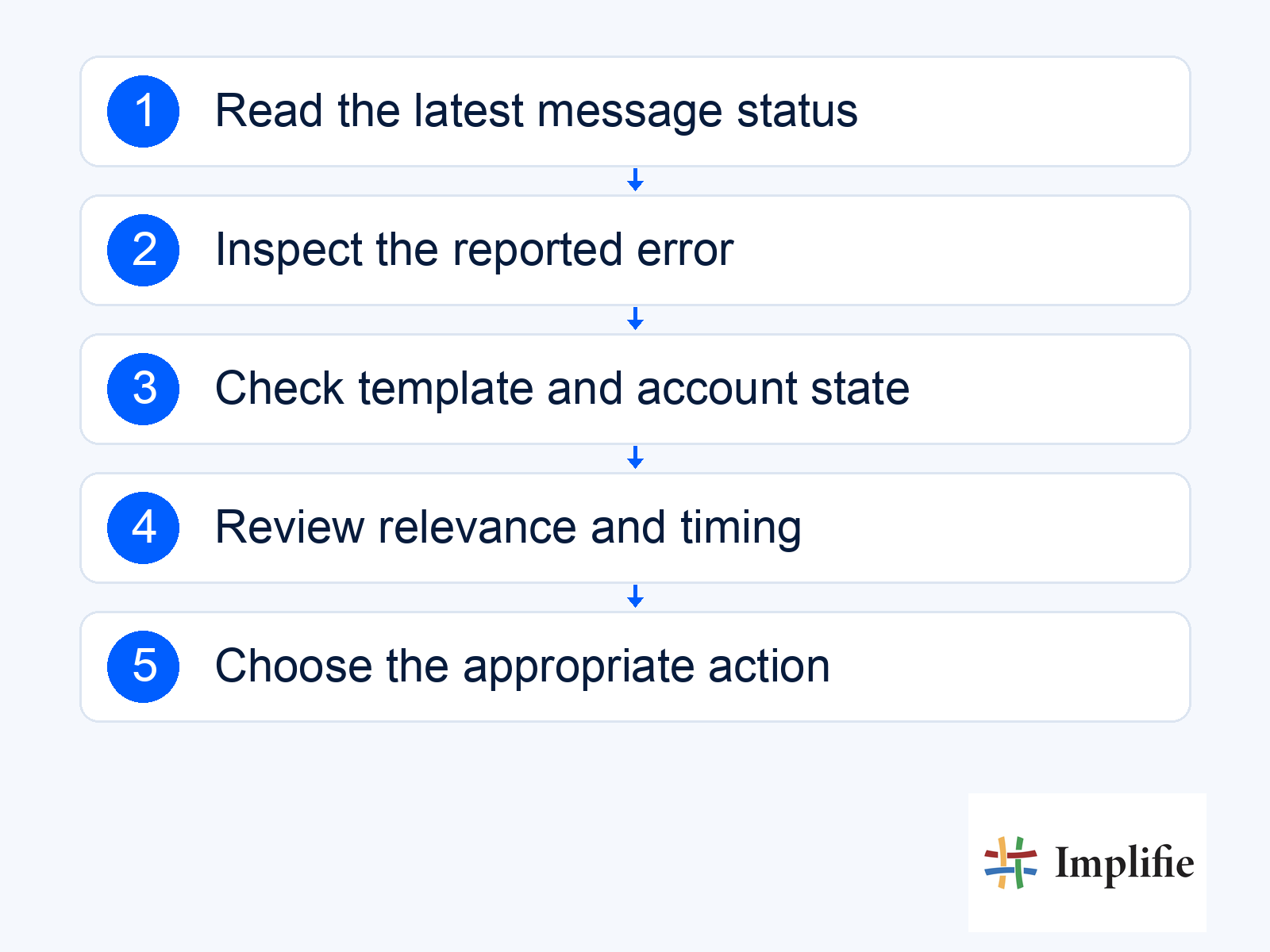
Use the error code and details to choose the next action
Meta’s error documentation recommends examining the code and details, and explains that errors may arrive through the request response, a webhook, or both. A connection permission problem needs a different fix from a template problem or an account restriction. Give the technical owner the message identifier, timestamp and redacted error information. Keep access tokens and unrelated customer data out of screenshots and support notes.
- Scope: Check whether one recipient, one template or many messages are affected.
- Account state: Review the visible status and any account warnings.
- Template state: Confirm the intended template and language are usable.
- Connection health: Check whether the sending and reporting paths are working.
- Next action: Fix the diagnosed cause, hold for review or retry only when appropriate.
Do not interpret every unsuccessful delivery as proof that a recipient blocked the business. Preserve what the platform actually reported and avoid guessing a personal action from incomplete evidence. Repeatedly sending an unchanged message can create duplicates if the original attempt eventually succeeds. Before retrying, check whether the information is still useful and whether another channel or a person is the better response. An expired offer does not become helpful because the connection has recovered.
Review customer expectations alongside technical checks
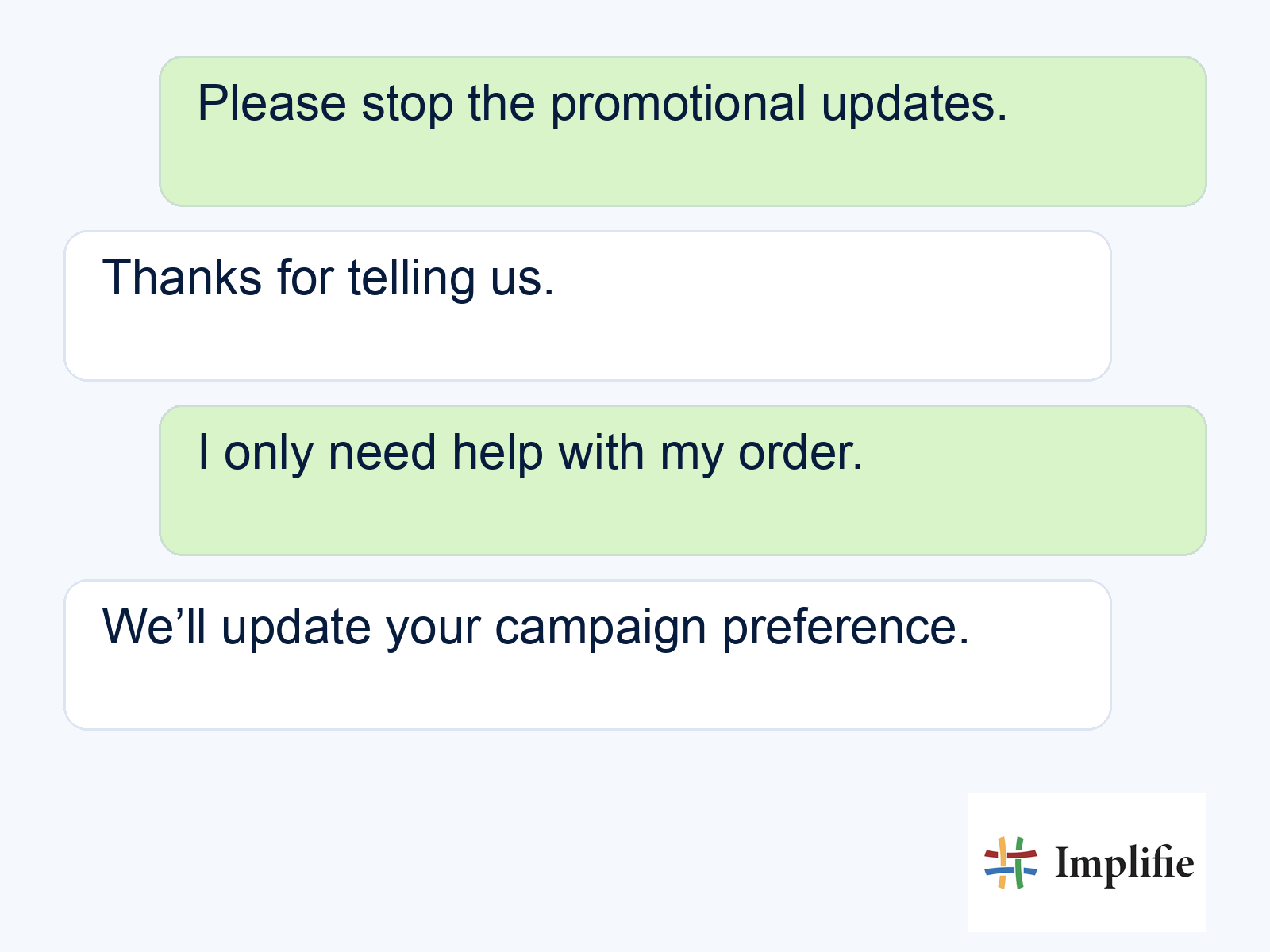
Technical validity does not make an unwanted message relevant. Review who asked to hear from you, why this message matters and how the person can stop it. The current business messaging policy requires permission and respect for opt-outs. Keep suppression records connected to customer context so a person who declines a campaign is not added back by the next list import.
The example below shows a customer preference being acknowledged. It is an illustration of the operating response, not proof of an automatically completed system change. Make sure the actual suppression record is updated and later campaigns check it. If a failure investigation uncovers many confused or unhappy recipients, review the audience and message purpose before looking for a higher sending capacity. More capacity does not solve a relevance problem.
Keep an incident record your team can use
Record the affected campaign, first observed time, known scope, error evidence and the owner of the investigation. Note whether sending has been paused and which customer requests need attention through another supported route. After a fix, test a limited path and watch the reported outcomes before resuming the original audience. Keep the report factual: distinguish what was observed, what was changed and what still needs confirmation.
Review recurring issues with the people who manage templates, customer lists and technical connections. An expired offer, outdated audience or missing reply owner can be as damaging to the customer journey as a failed send. Link the investigation to template management and support processes where appropriate. Avoid changing global account settings simply to make a dashboard look healthier without understanding the customer impact.
Diagnose before retrying
Improve WhatsApp message deliverability by reading the actual status, checking the reported cause and responding to the current account and customer context. Keep limits, technical failures and customer choices distinct. Test the appropriate fix, prevent duplicates and document what changed. This gives the team a repeatable investigation process without promising that an approved message or larger sending capacity guarantees delivery.
Frequently asked questions
Does an approved template guarantee delivery?
No. Approval and delivery are different stages. Review the actual message status and any reported error for each affected attempt.
Does missing read status prove the message was ignored?
No. Missing read evidence is not a reliable explanation of the customer’s behaviour. Keep delivery, reading, replies and purchases separate.
Should a failed message be retried immediately?
Diagnose the error and check whether the message remains relevant first. Blind retries can create duplicate or outdated communication.
Are all delivery failures account bans?
No. A restriction, recipient issue, template state, connection failure and incomplete reporting can require different checks. Use the actual error and account evidence.
