


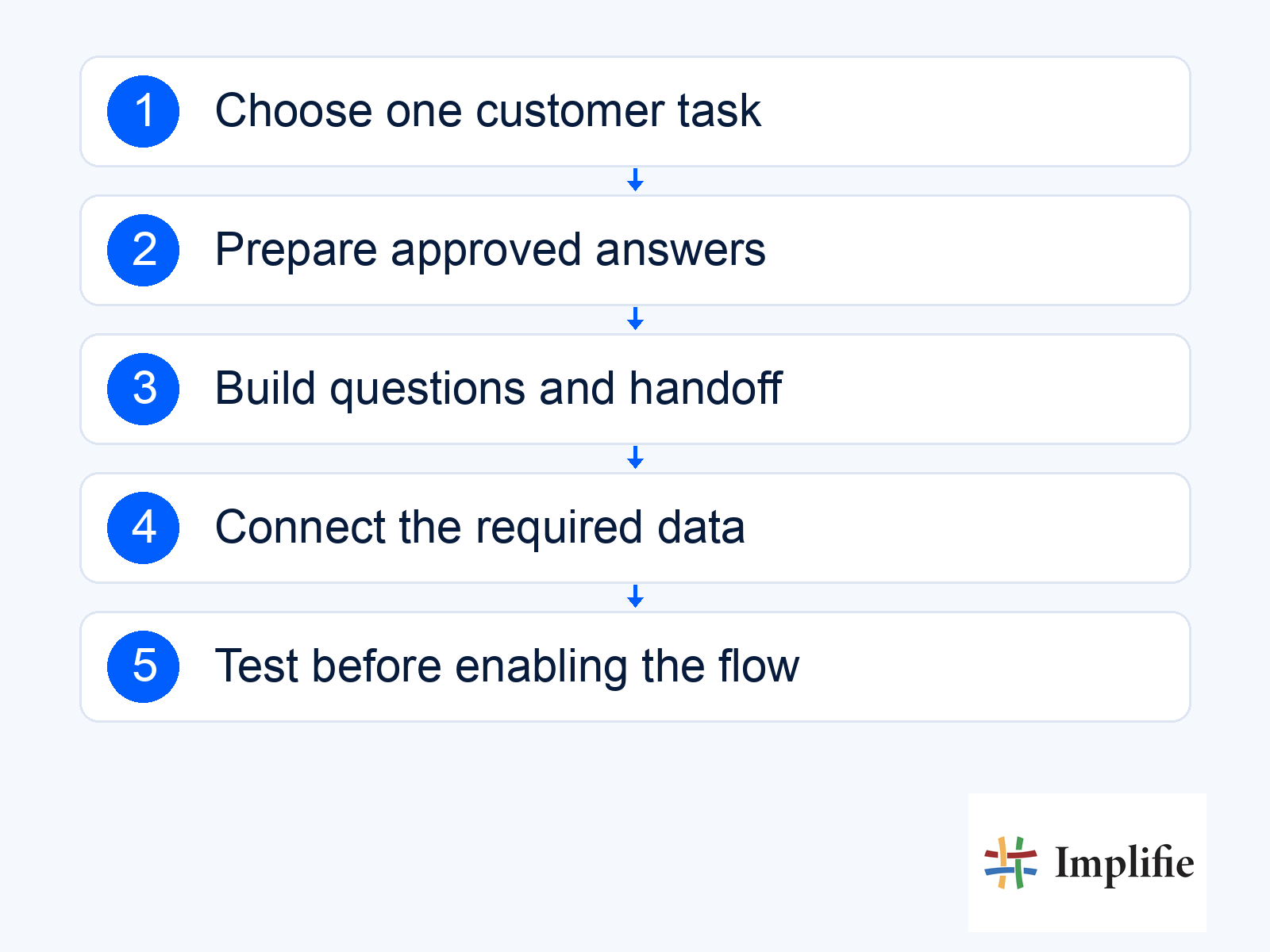
Your first chatbot should solve one predictable problem well. WhatsApp chatbot setup might begin with answering a delivery-policy question, collecting the details of an enquiry or routing an order-change request to support. Drawing a simple flow can be quick; connecting a business account, preparing reliable answers and checking the live journey are separate work. A five-minute design exercise should not be presented as a guarantee that a production chatbot is ready in five minutes.
This guide uses Implifie’s chatbot builder and no-code flow planning as the product context. Start with the customer’s task, then define the information, conditions and human handover it needs. Confirm your current account access and supported connections before enabling actions. A well-scoped flow should make its limits clear rather than promising to answer every question or change every connected system automatically.
Start WhatsApp chatbot setup with one customer task
Pick a request with a clear start and a result you can recognise. “Collect the order reference and route an address-change request” is easier to test than “automate support”. Write down what counts as completion: the right colleague receives the request with enough context, and the customer knows whether anything has actually changed. This is especially useful in ecommerce customer conversations, where a requested amendment and a completed amendment can have different operational consequences.
- Starting request: Use a real recurring customer question.
- Required information: Collect only what the next step needs.
- Approved answer: Identify the policy or record that supports the response.
- Supported action: Define what the workflow can actually do.
- Exit route: Give unclear or exceptional requests a human owner.
Prepare FAQ answers before building the flow
Use the current business policy as the answer source. For delivery coverage, specify which locations are supported and where that information is maintained. For returns, distinguish the general policy from a decision about a particular order. Keep one named owner responsible for updates so an old answer does not remain active after the policy changes. A short, accurate answer with a clear exception route is more useful than a long response that hides an important limitation.
If an answer depends on live stock, an order record or a calendar, decide how that information will be retrieved. Without a working connection, the chatbot can collect the request and pass it to a person; it should not invent a result. Treat AI-assisted responses separately from fixed rules and approved text. Writing an instruction does not by itself establish that an answer is grounded in the current business record or that an action has permission to run.
Build questions, conditions and human handoff
Arrange the flow around the customer’s next decision. A trigger starts the journey, a question collects necessary context, a condition selects a supported route and an action records or hands over the result. Implifie’s published builder describes these workflow elements, including customer details and handovers. Verify the specific connection and plan for your account when an action depends on another tool. Avoid copying undocumented button names or promising that a generic workflow template will fit every business.
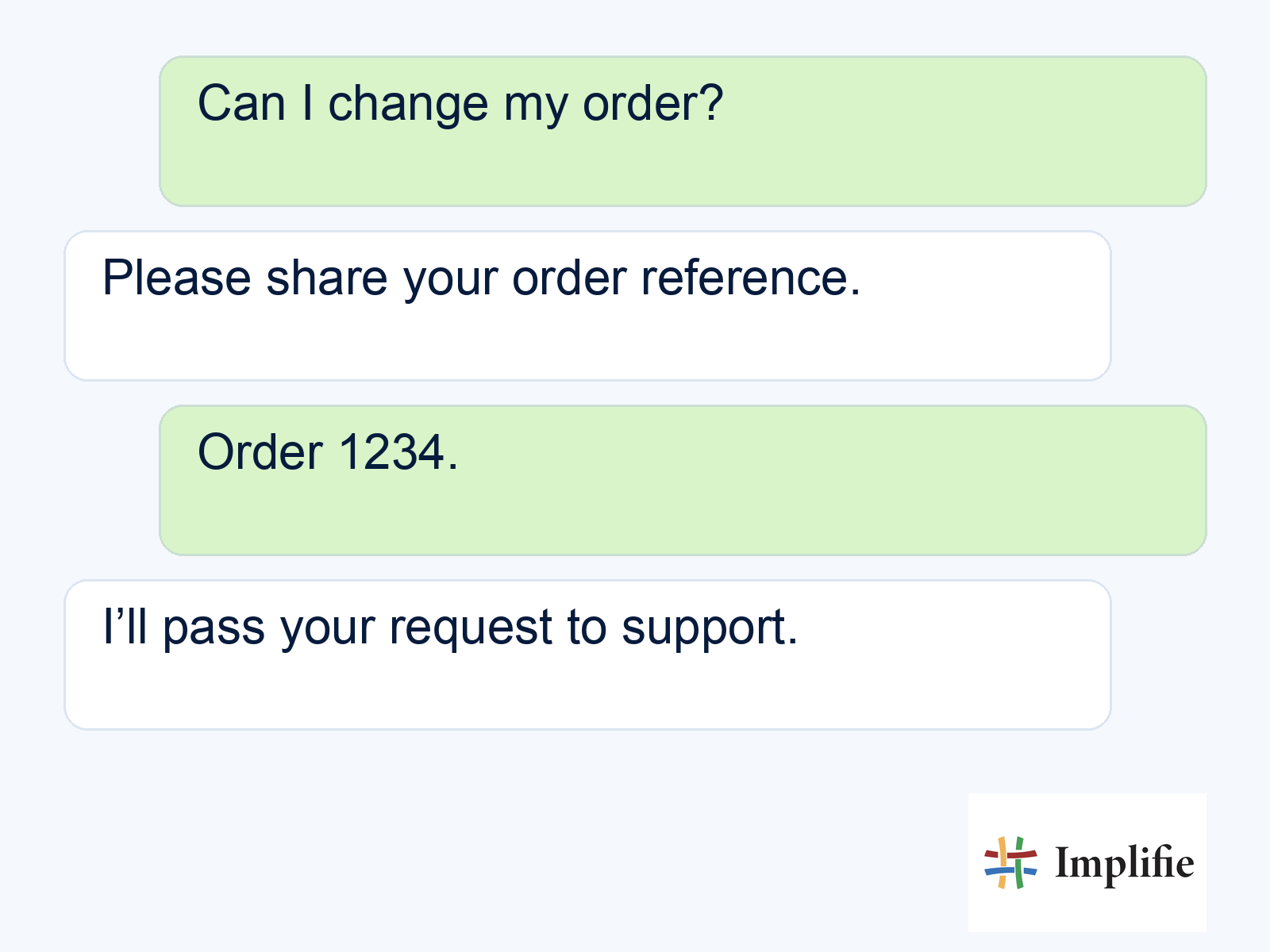
For the order-change example, the initial bot can request the order reference and ask what the customer wants to change. It then hands the request to a person who checks fulfilment status and the actual amendment process. Collecting a request is not confirmation that the order has changed. Make that distinction in the response. Use the customer record to retain useful context and the shared inbox to assign responsibility for the reply.
Test FAQ automation beyond the happy path
Test as a customer who has not read your flow plan. Try a clear request, a misspelling, an unrelated question and a direct request for a person. Check what happens when information is missing or a connection fails. Decide the acceptable result before running each test. A graceful handover can be the correct outcome; forcing every request through automation can leave the customer with a confident answer to the wrong question.
| Test input or condition | Expected result | What to check |
|---|---|---|
| Clear supported question | Approved useful answer | Policy and wording are current |
| Missing order reference | Ask for the required context | No unrelated order details are exposed |
| Unexpected wording | Clarify or hand over | The flow does not loop indefinitely |
| Customer asks for a person | Provide the handover route | An owner receives the context |
| Connection unavailable | Explain the limit and route for review | No invented stock or booking result |
| Request outside staffed hours | Explain the real next step | No unsupported response-time promise |
Review the conversation on a phone and have the receiving colleague complete the handover. Check that the customer does not have to repeat every detail, and that two workflows do not answer at once. For proactive messages, review template requirements and the current WhatsApp policy. Automation needs a clear escalation path, and the applicable messaging window matters when continuing a conversation later. Account setup and template review are separate from arranging the flow.
Launch gradually and improve from unanswered questions
Start with a limited scope and review conversations that fail to reach a useful result. Record the question, the missing information and whether the flow or the underlying policy needs a change. A high automated-response count is not proof that customers received correct answers. Use support workflows to connect exceptions to people and review completion, repeat contact and correction rates alongside message volume.
Keep a way to pause or revise the journey when the source information changes. A delivery-policy update, new product range or different support schedule can make yesterday’s answer inaccurate. Assign a review owner and test the affected routes after an edit. Expand to another customer task only when the first flow remains understandable to both the customer and the colleague responsible for it. This makes ongoing maintenance part of the design.
Build a useful flow before a larger chatbot
A dependable WhatsApp chatbot setup starts with one customer task, approved information and a clear human exit. Draft the flow, connect only the data and actions you can verify, and test exceptions before enabling it. Treat a quick prototype as the beginning of the work. A smaller journey that answers accurately and hands over well gives you a better foundation for expanding automation.
Frequently asked questions
Can a chatbot be ready in five minutes?
A simple flow draft may be quick. Account setup, connections, approved answers, message requirements and testing determine when it is ready for real customers.
Does a no-code flow automatically use AI?
No. Questions, conditions and fixed answers can form a rule-based workflow. Confirm separately how any AI assistance gets its information and what actions it is allowed to take.
Can it confirm an appointment or amend an order?
Only when the actual supported process completes successfully. Otherwise collect the request and pass it to the responsible person without implying confirmation.
What should happen when the bot does not understand?
Offer a useful clarification or a clear human route. Avoid repeated loops and preserve the information already provided for the receiving colleague.
