


Sending a code is only one part of signing a customer in. A WhatsApp OTP, or one-time password, needs a secure application flow that issues the challenge, delivers it through the appropriate message route and validates the response before granting access. A delivered message is not proof that the user passed verification. Start with the action being protected and assign responsibility for the application’s authentication logic before selecting a delivery tool.
This guide explains the division of work between the application, WhatsApp messaging and the support team. It does not claim that Implifie currently provides a complete OTP service or that WhatsApp delivery is always faster or cheaper than alternatives. For an ecommerce account journey, verify the actual authentication integration before connecting it to registration, login or a sensitive account change.
Separate OTP delivery from identity verification
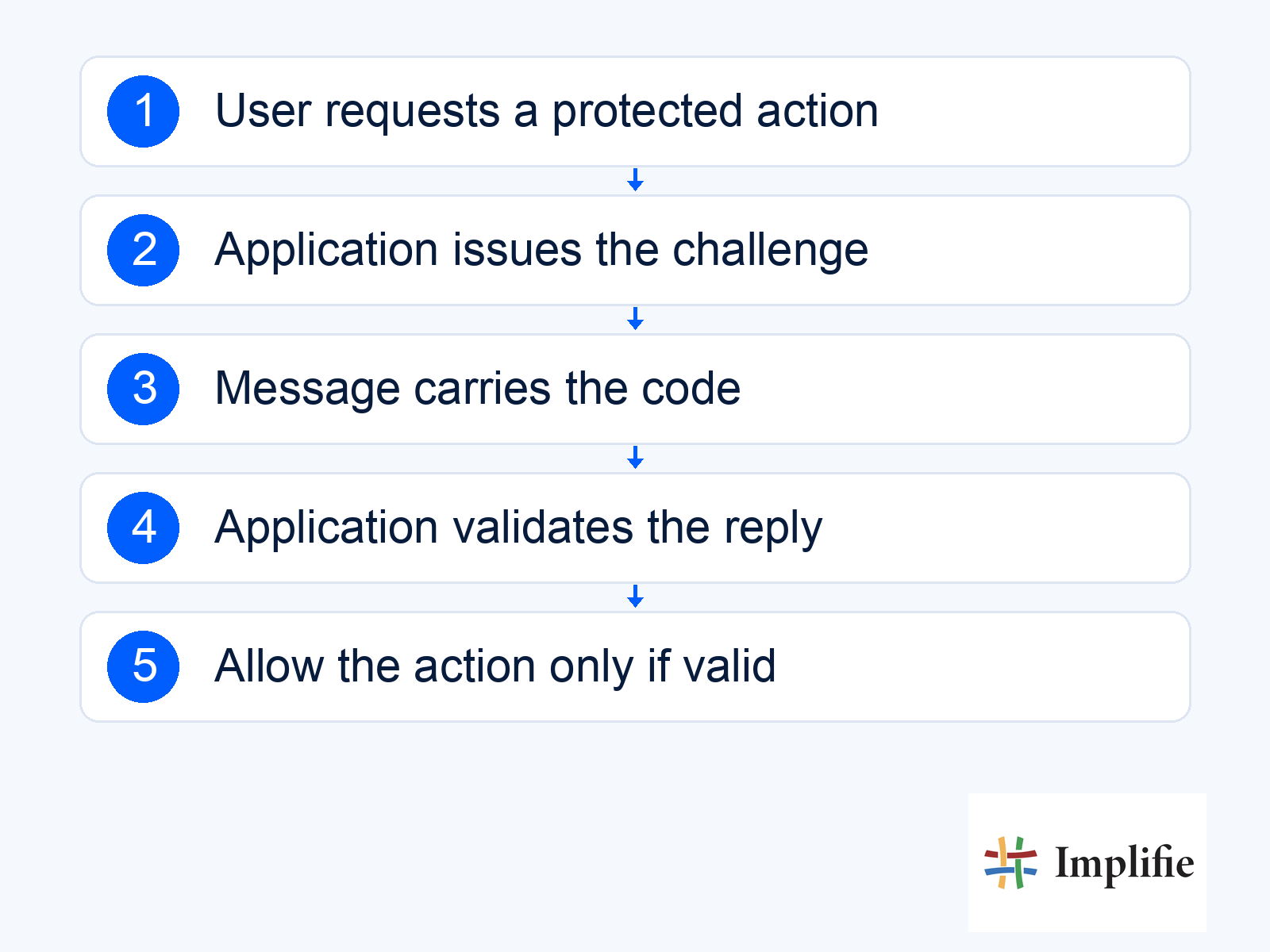
The application should decide when a challenge is required and which action it authorises. It sends a code through a configured channel, then checks the response against the right challenge and account context. Only a successful server-side check should permit the protected action. Keeping those responsibilities explicit prevents a message status, a customer reply or an agent’s manual acknowledgement from being mistaken for a successful login.
- Challenge owner: The application defines the protected action and verification state.
- Delivery route: A configured messaging connection sends the appropriate authentication message.
- Validation step: The application checks the response and applicable limits.
- Completion record: The protected action proceeds only after successful verification.
- Fallback: A reviewed alternative handles non-delivery or unavailable access.
Use the appropriate authentication template
Meta’s template API reference includes the authentication category and OTP button options such as copy code. Select the currently supported format for your implementation and review the official requirements rather than repurposing a promotional or order-update template. Template configuration and the application’s code validation are different tasks; declaring expiry wording in a message does not remove the need to enforce the intended expiry in the application.
Test the actual experience on the devices your customers use. A copy-code experience and an app-specific autofill experience can have different integration requirements. Confirm what your implementation supports instead of promising every button type. Keep the message focused on the authentication task, use the approved wording and avoid adding an offer to the verification step. The customer should know where to complete the request without being asked to send the code to a sales agent.
Enforce expiry, attempts and safe failure in the application
Use a security-reviewed design for code generation, challenge storage, expiration and one-time use. Bind the challenge to the intended user and action, limit repeated requests and attempts, and decide what happens after a resend. Do not leave earlier challenges usable accidentally or accept a code for a different operation. The exact controls should be reviewed by the team responsible for the application, rather than copied as a universal snippet from a marketing article.
OWASP’s authentication guidance discusses protections against automated attacks, login throttling, secure error handling and appropriate reauthentication. Apply those ideas to the complete journey, including recovery and fallback routes. A convenient delivery channel does not by itself make the overall authentication system phishing-resistant or suitable for every sensitive operation. Review the risk of the action and choose the assurance level the application needs.
| Test condition | Expected behaviour | Evidence to review |
|---|---|---|
| Correct current code | Allow the intended action once | Application verification outcome |
| Expired code | Reject safely and offer the reviewed next step | Expiry enforced by the application |
| Repeated wrong attempts | Apply the defined attempt control | Attempt and abuse monitoring |
| Resend requested | Apply the reviewed challenge policy | Which challenge remains valid |
| Message not delivered | Offer the supported fallback | Delivery error and fallback outcome |
| Request for another account or action | Do not accept an unrelated challenge | Challenge-to-action binding |
Design a useful fallback without weakening verification
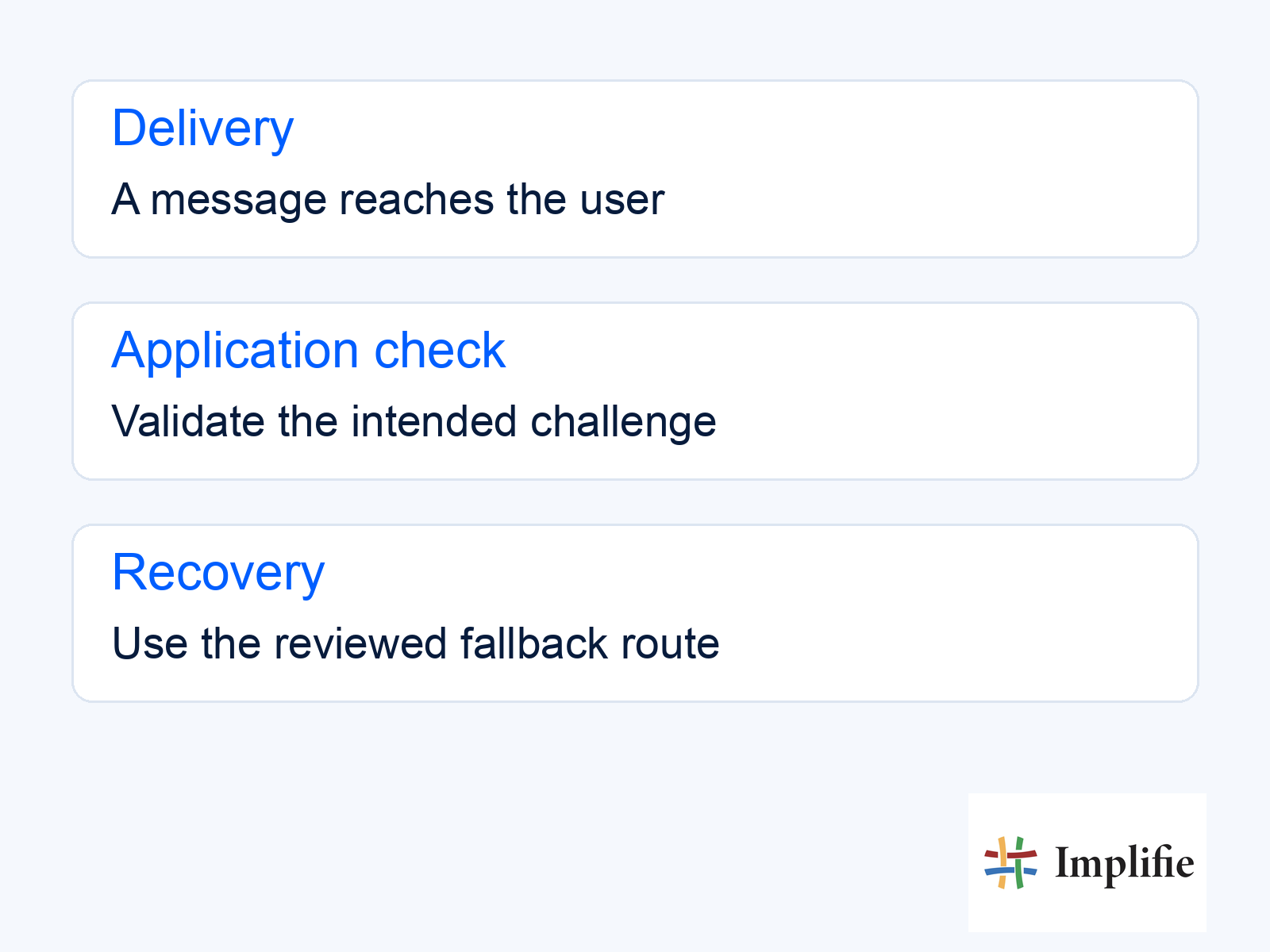
Let the customer know what to do when the code does not arrive, and avoid encouraging repeated rapid requests. The fallback should be an approved recovery or alternative verification process, not a support agent asking the customer to reveal the code. Keep error messages useful without unnecessarily revealing whether an unrelated account exists. The concept graphic below shows the separation between delivery, application checking and the supported recovery route; it is not a product screen.
Give support staff a limited troubleshooting view that helps them investigate delivery without viewing secrets. They may need the request time, a redacted identifier, the reported message outcome and whether the customer completed the process. They do not need a reusable code, full access token or an unrestricted customer session. Keep customer support conversations separate from the system that makes the authentication decision.
Confirm integration support and measure completion
Meta’s Platform overview describes authentication use cases, but a platform capability is not proof of a ready-made feature in every connected product. Review the actual Business Platform setup and template workflow with the implementation owner. Confirm the integration path, permissions, supported templates and operational responsibility before advertising the service as available to customers.
Measure requested challenges, delivered messages where reported, successful verifications, failures and fallback completion as separate stages. Use the application’s verification record as the completion source. Review repeated requests and unexpected failures with the responsible technical team. Compare cost and completion against your real alternative rather than using unsupported universal delivery, open-rate or savings figures. A lower message price does not compensate for a recovery path customers cannot complete.
Make verification the outcome
A dependable WhatsApp OTP journey connects appropriate authentication messaging to a secure application decision. Define the protected action, review template and integration support, enforce challenge controls and test the failure path. Measure completed verification rather than delivery alone. Keep support helpful without exposing secrets, and treat recovery as part of the authentication design before launching it for customers.
Frequently asked questions
Does delivery mean the customer is verified?
No. The application must validate the correct challenge for the intended action before granting access.
Can a support agent ask a customer to share the OTP?
Design support so agents can investigate without asking for the secret code. Use the reviewed recovery or fallback process.
Does this article confirm a ready-made Implifie OTP feature?
No. Confirm the actual supported integration, templates and responsibilities before relying on it in production.
Are WhatsApp OTPs always cheaper or more secure than alternatives?
No universal claim is made. Compare the actual costs, completion experience and risk of the whole authentication system.
