


“Hi [First Name]” does not make an irrelevant offer personal. Personalization in WhatsApp marketing is useful when the message reflects a real customer need and makes the next decision easier. That may mean using the size someone asked about, remembering a preferred outlet or sharing an update they requested. Start with the information that changes what you should say or do. Avoid collecting more data simply because the software can store another field.
For a retail customer journey, the most useful preference may be a product variant rather than a detailed profile. For a course enquiry, it may be the programme and intake the person actually requested. Use the stated purpose and current situation to choose the message. This guide covers practical relevance and data quality without promising that every personalized campaign produces higher sales.
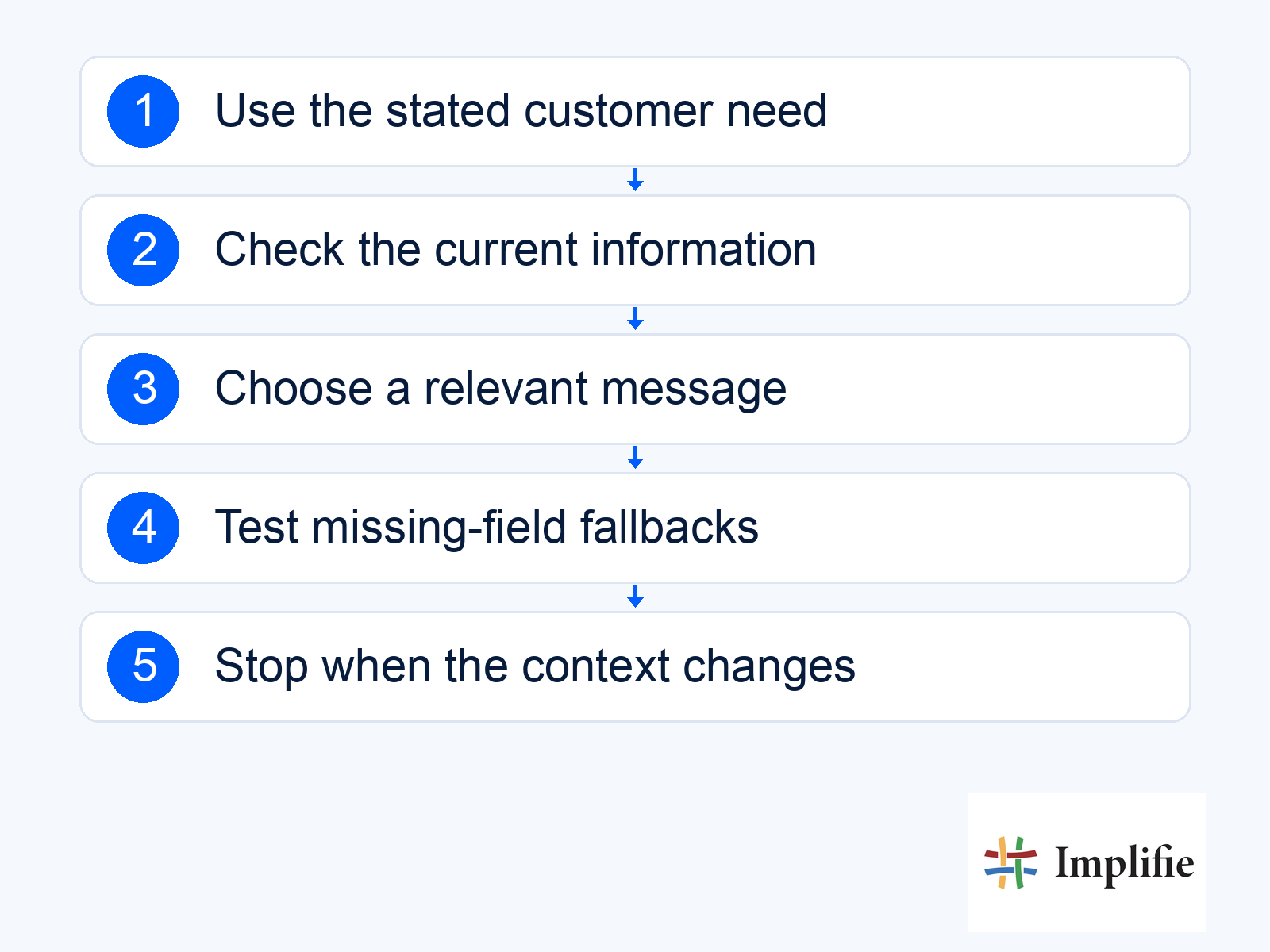
Base personalized WhatsApp messages on relevant information
Distinguish what the customer said, what a verified business record establishes and what the team inferred. Those are different levels of confidence. An old purchase can suggest an interest, but it does not prove that the person still wants that product or is shopping for themselves. Retain useful context in the customer record and let the person correct it. Use the smallest amount of information needed to make the conversation helpful.
- Stated interest: Use the product, service or requirement the person actually discussed.
- Current record: Check whether the relevant order, enquiry or preference remains accurate.
- Missing information: Ask a useful question or use a reviewed neutral fallback.
- Sensitive detail: Keep unnecessary personal information out of campaign copy.
- Contact choice: Make current communication preferences part of audience eligibility.
Segment by the decision the customer needs to make
Build a segment around a clear customer task rather than a label such as “high value”. People waiting for stock need different information from people comparing sizes or seeking help after purchase. Decide what makes a person enter the segment, which update removes them and how overlapping segments are handled. Without those rules, a buyer can receive a sales offer after purchasing or remain in a reminder sequence after asking for support.
| Known context | Useful personalization | Check before sending |
|---|---|---|
| Asked about a size | Information about that exact variant | Current availability and whether the interest still applies |
| Prefers an outlet | The relevant location or visit instructions | Current hours and supported service |
| Has an active order question | A response with the correct case context | Identity, current status and owner |
| Requested a programme | Relevant course information | Current intake and approved details |
| No reliable preference | A focused question or neutral wording | Avoid inventing a personal recommendation |
A small number of understandable segments is easier to maintain than many overlapping rules nobody can explain. Use campaign audience tools to organise a defined message, and confirm the actual data connections before relying on behaviour-based selection. A capability described in a general marketing guide is not proof that your website browsing events are already linked to the customer’s WhatsApp record.
Make the question more useful than the greeting
Ask for the detail that changes the answer. In the illustrative conversation below, the customer’s preferred size helps the team check the right variant. It does not establish that stock is available. Keep that distinction in the wording: ask the size, check the record and explain the next supported action. Good personalization reduces unnecessary back-and-forth while keeping the customer free to change their preference or decline the suggestion.
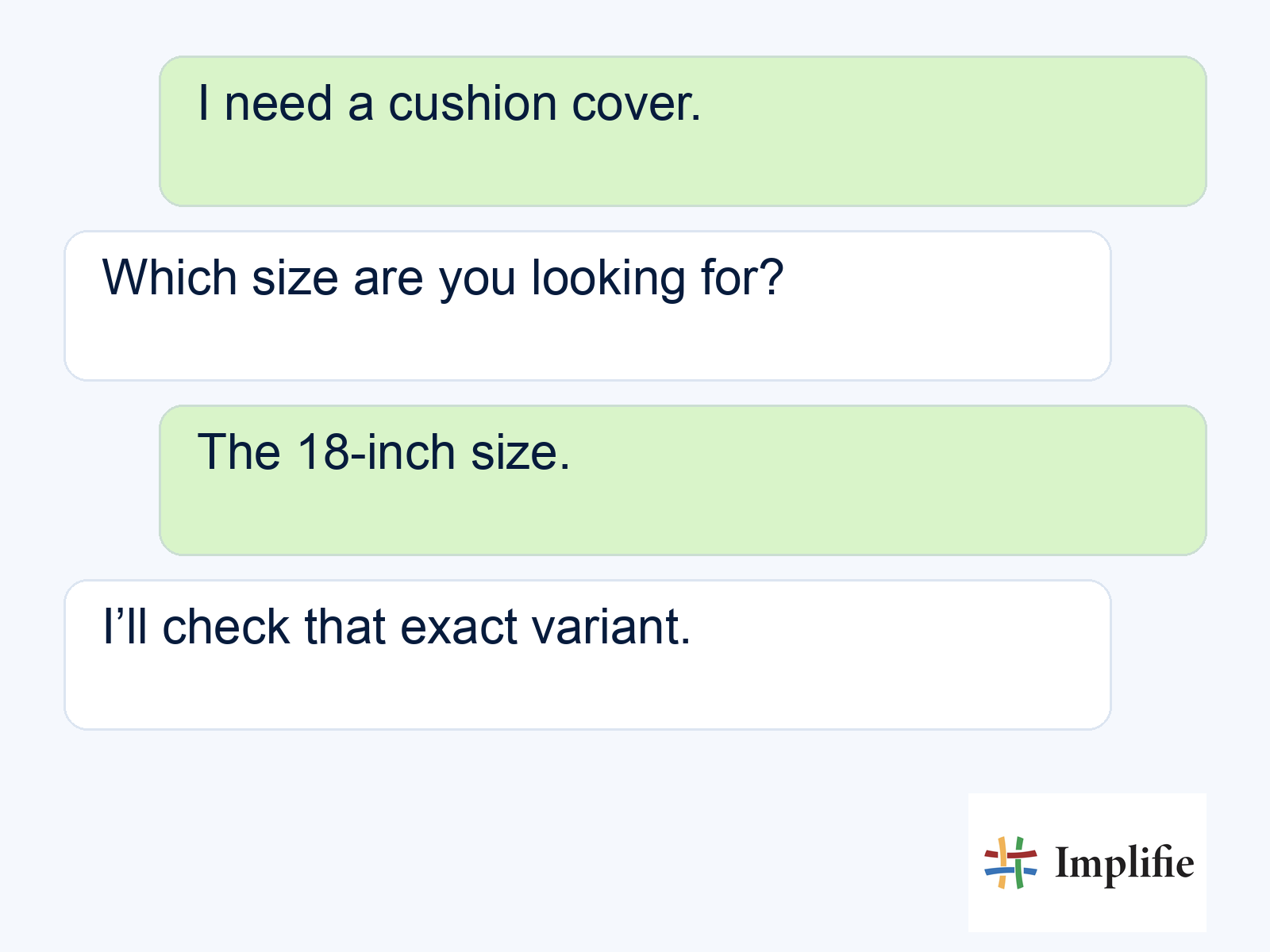
Avoid language that makes a tentative inference sound certain or implies the business has been watching every action. “Would you like information about the size you asked about?” is different from declaring what the person loves. For a supported chatbot journey, collect the preference once where appropriate and pass it with the handover. The receiving colleague should know which answer came from the customer and which detail still needs verification.
Test variables and fallbacks before sending
Preview the real message with a short name, a missing name, a long product title and the actual language variants you intend to send. A blank variable or stale price can make a supposedly personal message feel careless. Use template management to review the intended wording and parameters. Meta’s template guide notes that businesses supply the appropriate language strings and example values; a variable does not translate itself.
Define what happens when the data is missing or the intended product is no longer suitable. A neutral greeting may be better than holding a useful update because the name is blank. An uncertain price or account match should be reviewed rather than replaced with a guess. Keep fallback rules tied to the information’s importance. The goal is understandable and accurate communication, not a perfect-looking merge field at any cost.
Evaluate relevance through customer outcomes
Compare the intended completed action and customer feedback, not only the number of names inserted. Review whether customers ask fewer clarifying questions, find a suitable option or complete the next step. Use conversation reporting with the business record that confirms the outcome. If the audience or offer changes during a test, record that difference instead of attributing the whole result to personalization.
Useful personalization in WhatsApp marketing respects what is known, asks for what matters and leaves room for the customer to choose. Keep preferences current, make segments understandable and test the message when fields are missing. Treat relevance as a way to help the person act, not a reason to expose more personal detail. Expand from actual useful outcomes rather than assuming a personalized greeting earns attention by itself.
Frequently asked questions
Is inserting a first name enough?
No. The audience, offer and next action need to be relevant. A greeting field cannot fix a message that does not address the person’s current situation.
Can a past purchase be treated as a permanent preference?
No. Keep the context and allow it to change. A purchase may not indicate the customer still wants the same item or bought it for themselves.
What should happen when a field is blank?
Use a reviewed fallback when appropriate, or hold the message when the missing information affects accuracy, eligibility or recipient identity.
Does personalization guarantee better sales?
No. Test completed outcomes and customer feedback with an appropriate comparison. The offer, audience, timing and reply process also affect results.
