


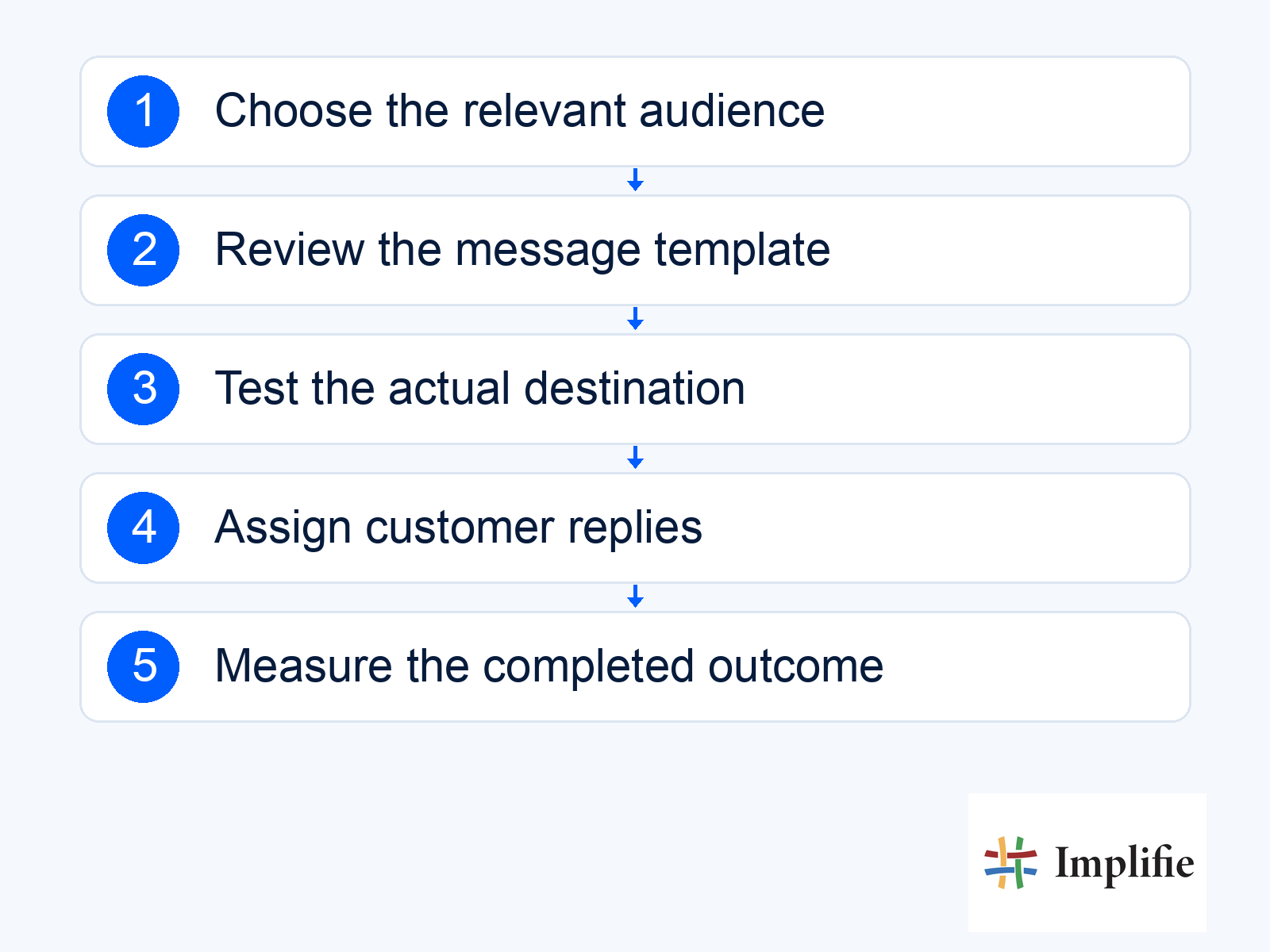
A broadcast should give a defined group of customers one useful next step. WhatsApp broadcast campaigns become harder to manage when the list is simply everyone in a spreadsheet and success means only that messages were sent. Start with a specific audience and reason to contact them. A relevant message about a current product or requested update is easier to write, support and measure than a general promotion aimed at every contact your business has collected.
This guide focuses on campaign planning through a supported business messaging setup. It does not treat Business app broadcast features, group chats and Platform campaigns as identical. For retail WhatsApp marketing, begin with an actual customer need, then confirm that the account, audience and team can support the campaign. Implifie’s broadcast software provides the product context; the exact available workflow depends on your setup.
Plan WhatsApp broadcast campaigns around a clear audience
Define why each recipient belongs in the campaign. Recent interest in a category, an explicit request for a product update or an appropriate stage in a customer relationship is a more useful basis than a large undifferentiated list. Keep the selection understandable to the team: if someone asks why they received the message, an agent should be able to explain it. An imported phone number is not by itself evidence that the person wanted a promotion.
- Audience reason: Describe the specific interest or relationship relevant to the message.
- Permission record: Confirm the recipient is eligible for this communication.
- Exclusions: Remove opt-outs, inappropriate contacts and people for whom the offer no longer applies.
- Current data: Check product availability, price and offer conditions.
- Reply capacity: Match the audience size to the team’s ability to help.
Plan one action and a destination that works
Choose whether the message should help the customer view an item, ask a question or take another supported next step. Use one main action and explain what the person will find after clicking or replying. A campaign for a specific item should not send the buyer to an unrelated homepage. Check the destination on a phone, verify stock and price, and make any important conditions easy to find before the customer commits.
| Customer situation | Useful action | Required preparation |
|---|---|---|
| Asked about a product | Check the relevant item or variant | Current information and an accurate destination |
| Needs help choosing | Reply with the required preference | A colleague or flow ready to handle the answer |
| Requested an availability update | Review the now-available option | A verified change and appropriate permission |
| Has an unresolved issue | Continue support | An owner and current case context |
| Opted out of promotions | Do not include in the promotion | A suppression record checked before sending |
Prepare the template and check current account capacity
Use template management to review the message purpose, language, variables and approval state. Check the current messaging policy rather than assuming a saved template is suitable for every audience. Review the account’s actual limits before scheduling. Meta’s current Platform limits are shared at business-portfolio level, so several numbers can draw on the same capacity.
Keep a campaign owner responsible for the final check. Send a suitable test, inspect personalisation values and confirm that links and replies reach the intended destination. Previewing a generic example does not test a blank customer name or an outdated price variable. If a required field is missing, hold that recipient or use a reviewed fallback rather than sending broken wording. Schedule with the customer’s context in mind and avoid promising one universally optimal send time.
Treat customer replies as the next part of the campaign
An interested reply is a request for help. Make sure the receiving team can see the offer, conditions and relevant customer information. The illustrative exchange below shows a buyer asking about a size; it is an example, not a testimonial or stock confirmation. The responsible colleague still has to check the actual variant. Use the shared inbox to assign the conversation and keep the reply connected to the campaign context.
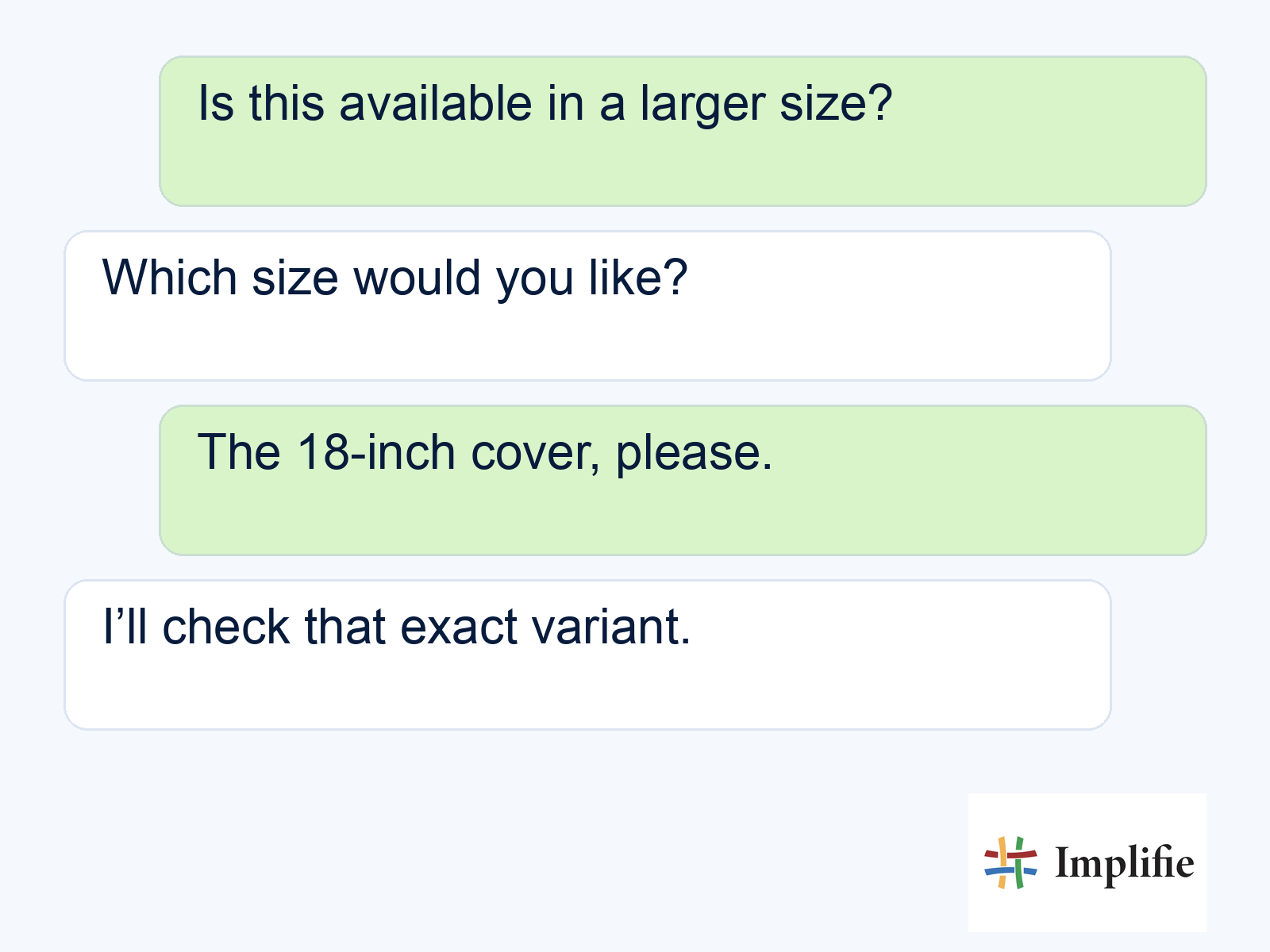
Decide how a reply affects any later messages. A customer who has purchased, declined or started a support discussion should not remain in a sequence that assumes they ignored the offer. Follow-up workflows need current eligibility checks and a defined stop condition. A polite acknowledgement is useful, but it should not hide the fact that the actual stock answer or order action is still waiting for a person.
Review outcomes before sending another broadcast
Use campaign reporting to understand message outcomes, then confirm sales or other completed actions through the appropriate business record. Review failed messages separately from people who received a message but chose not to act. Include opt-outs, complaints and unresolved replies in the decision. A larger recipient count is not a useful improvement if the additional audience has little reason to want the message.
Choose one change for the next test: a clearer offer, a better destination, a more relevant audience or a stronger reply process. Record what changed so the team can learn from it. Avoid sending the same promotion repeatedly to non-responders as the default response to a weak result. Sometimes the right next step is to stop, improve the offer or wait until there is a genuinely useful reason to contact the customer again.
Build a campaign the team can complete
Useful WhatsApp broadcast campaigns connect a relevant audience to a clear action and a responsible team. Check permission, template suitability, current information and account capacity before sending. Handle replies with context and measure completed outcomes alongside customer feedback. Improve the whole journey before increasing its size, so a successful send becomes the start of useful service rather than the end of campaign planning.
Frequently asked questions
Is a group chat the same as a broadcast campaign?
No. They are different experiences. Choose the actual Business app or Platform workflow appropriate to the task and review its current requirements.
Can I send a promotion to every imported contact?
An imported number does not establish permission or relevance. Check eligibility and exclusions for the specific communication.
What should happen when someone replies?
Assign the conversation with the offer and customer context, and review whether later campaign messages should pause or stop.
Is delivery the same as campaign success?
No. Define and verify the useful business outcome, such as a completed purchase, and review costs and customer feedback alongside delivery.
