


A customer sees “shipped” in a message, opens the tracking link and finds that the carrier has not received the parcel. The notification has created another question. WhatsApp order updates should explain what your store actually knows at that moment, with a useful next step when something needs attention. Start with accurate order and shipment records, then decide which changes deserve a message. Sending more notifications will not fix a missing carrier scan or an incorrect delivery address.
This guide explains how to connect order events, choose message wording and handle replies without promising an unsupported delivery date. Implifie’s ecommerce WhatsApp workflows can bring these conversations into one operating process. Your store and fulfilment systems still supply the facts. Confirm the connection, permissions and available events before treating any proposed automation as ready to run.
Choose WhatsApp order updates customers need
Begin with the moments that change what the customer needs to do or understand: an order has been accepted, a parcel has entered the delivery process, or an exception needs a response. Payment received and order accepted are different records, especially for cash-on-delivery purchases. A tracking number created in advance is also different from a carrier collecting the parcel. Match each notification to a specific event so your team can explain exactly why it was sent.
| Verified event | Useful message | Avoid implying |
|---|---|---|
| Order accepted | Identify the order and the next fulfilment step | Payment is confirmed for every payment method |
| Tracking reference created | Share the reference and explain when tracking may appear | The carrier already has the parcel |
| Carrier confirms movement | Share the current status and tracking destination | An invented delivery time |
| One parcel in a split order ships | Identify the shipped items and remaining items | The entire order has shipped |
| Delivery exception recorded | Explain the known problem and a support route | The issue is already resolved |
Connect order tracking automation to reliable records
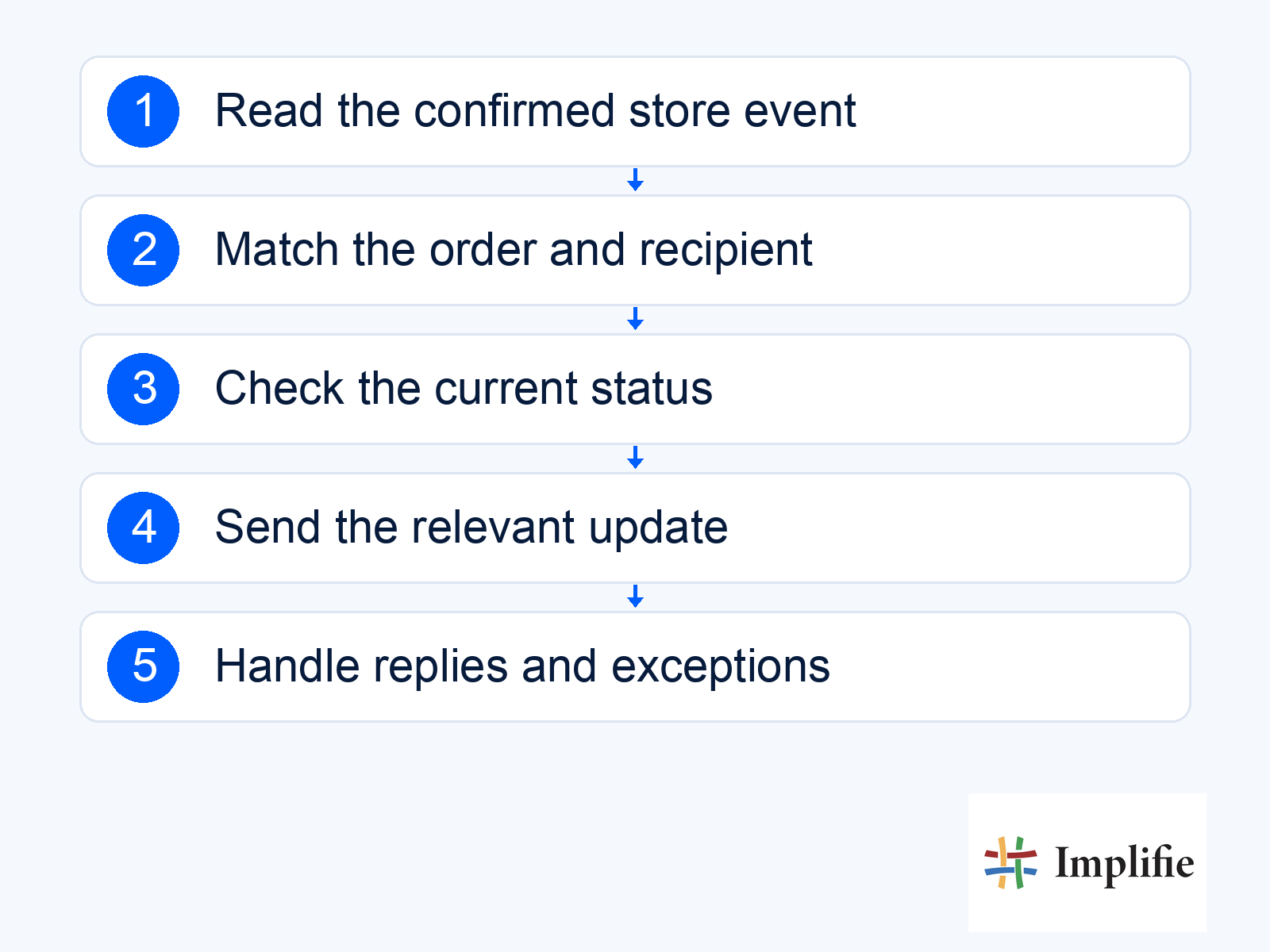
List the information required for one notification: order reference, relevant items, recipient, current status, carrier and tracking destination. Decide which system owns each field and who checks a mismatch. A WhatsApp commerce workflow can coordinate the conversation around a configured store connection. It should not replace the store’s order ledger or guess which of two similar customer records owns a parcel. Hold ambiguous matches for review before disclosing order details.
Shopify’s webhook documentation explains that event notifications can arrive out of order and that applications should account for missed or duplicate deliveries. In practical terms, the same event should not generate repeated customer notifications, and an old update should not move a delivered order back to “processing”. Ask whoever maintains the connection how it identifies repeated events, checks the current record and reconciles interruptions. These are implementation checks, not a claim that every store connection handles them automatically.
- Event identity: Recognise an event that has already been processed.
- Current status: Check whether a later event has changed the appropriate wording.
- Recipient match: Send the relevant order information to the intended customer.
- Failure owner: Assign missing data, invalid tracking links and interrupted connections to a person.
Write WhatsApp shipping updates with a clear next step
Keep the message specific enough for the customer to recognise the purchase and understand what changed. Include a usable tracking link when one exists, rather than a long technical status description. If the carrier has not supplied an estimate, say what is known and let the customer check the tracking record. Only include personal information needed for the update; avoid exposing a complete address or sensitive order details unnecessarily in a notification preview.
Hi [First Name], [Business Name] has a shipping update for order [Reference]. Current status: [Verified Status]. You can check the carrier’s latest information here: [Tracking Link]. Reply if you need help with this delivery.
That sample needs to be adapted to the actual event and template requirements. Use template management to review the category, language, variables and approval status before sending. Keep promotions separate from service information: adding a discount to an order update changes the message’s purpose. Check the current WhatsApp messaging policy for the applicable permission and messaging rules rather than assuming a purchase authorises every later campaign.
Give delivery exceptions a human owner
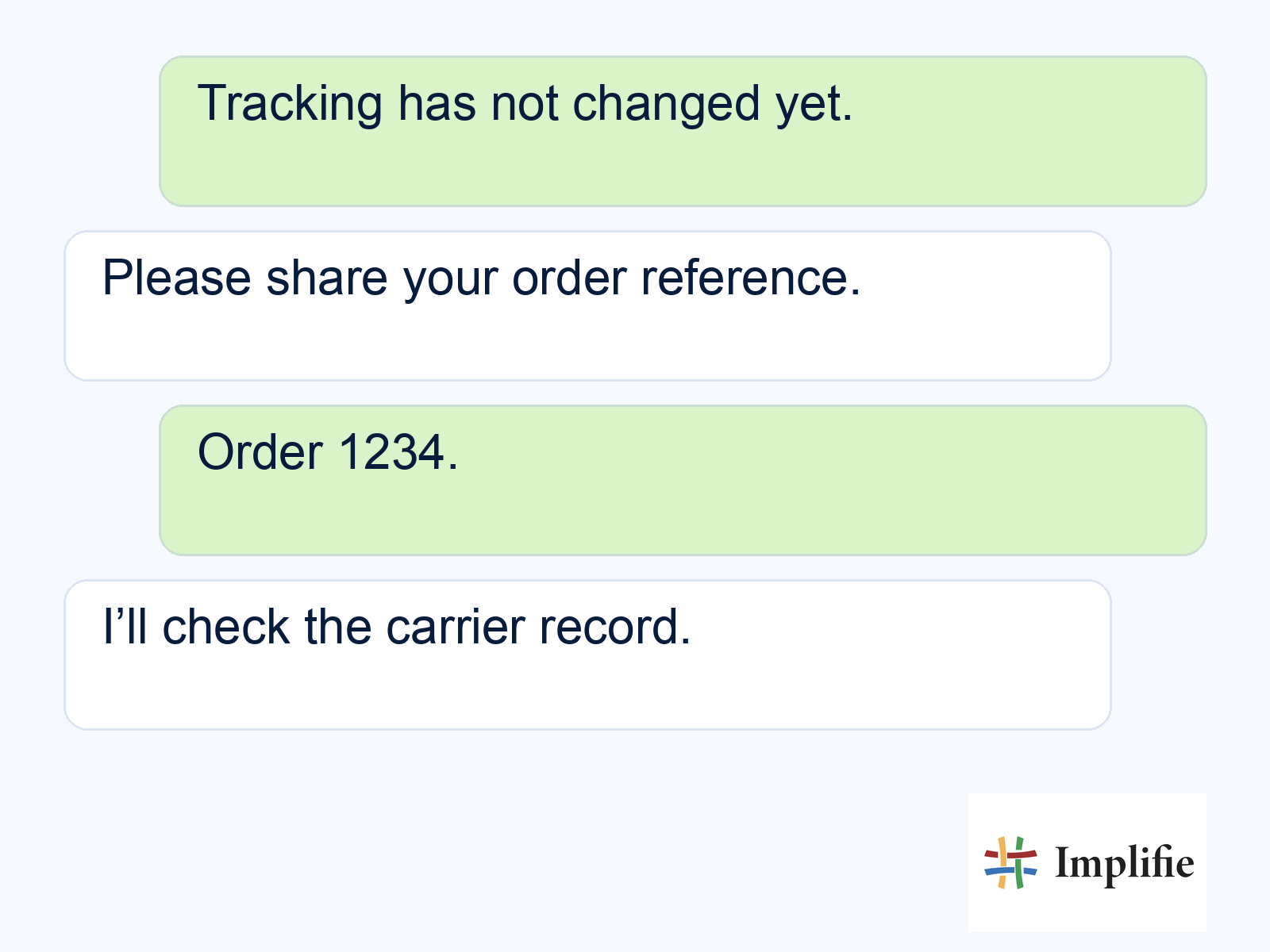
A customer who reports a missing parcel needs an investigation, not a repeated tracking link. Define which colleague can contact the carrier, review the order and explain the next action. A shared WhatsApp inbox helps the team continue the conversation with context. It does not by itself establish that a replacement, refund or address change has been approved. Those actions need the appropriate store process and permission.
The conversation below is an example of an enquiry being checked, not a carrier result. Keep the customer informed when the team takes responsibility, and avoid saying the issue is resolved while it is still waiting for investigation. If the customer asks to change an address after dispatch, check the carrier’s actual process before agreeing. An accurate explanation of a limitation is more useful than an instant promise that the warehouse cannot keep.
Test the complete notification journey
Run a small set of test orders through the exact events you intend to use. Include a cancelled order, a repeated event, a split shipment and a missing tracking link. Verify the message on a phone, follow the tracking destination and reply as a customer would. Check who receives that reply and whether the order reference remains available. A successful test includes the exception path, not only the notification that arrives under ideal conditions.
Review support workload and customer outcomes alongside message reporting. Count delivered notifications, unresolved delivery conversations, repeated enquiries and time to a useful response. Compare similar periods and order types before claiming a reduction in support work. A peak-season increase in delays can change results even when the message wording improves. Use the evidence to adjust events and ownership rather than adopting an industry-wide open-rate or revenue promise.
Start with one trustworthy order journey
Useful WhatsApp order updates tell the customer what changed, what the information means and where to get help. Begin with a reliable event, verify the recipient and tracking record, and assign exceptions before expanding the journey. Keep store and carrier facts authoritative, test interruptions and improve from actual delivery questions. Accurate messages and clear ownership are a stronger starting point than sending a notification for every internal status change.
Frequently asked questions
Can a shipping message guarantee the delivery date?
Only describe the estimate supplied by the actual delivery source, with its limitations. Creating a tracking reference does not establish that the carrier has collected the parcel.
What should happen to split shipments?
Identify the items or parcel covered by the update and explain what remains. Avoid describing a partial shipment as the whole order being dispatched.
Should the workflow resend every failed notification?
Review the failure and current order state first. Retrying blindly can duplicate messages or send information that has already become outdated.
Can customers reply to automated updates?
Plan for replies and assign them to a support owner. A notification journey is incomplete if a customer asks a delivery question and nobody is responsible for answering.
